The Best Claude Connectors for Video and Content Work
The best Claude connectors for video and content work as of November 2026, with what each one does, who it suits and what users complain about.
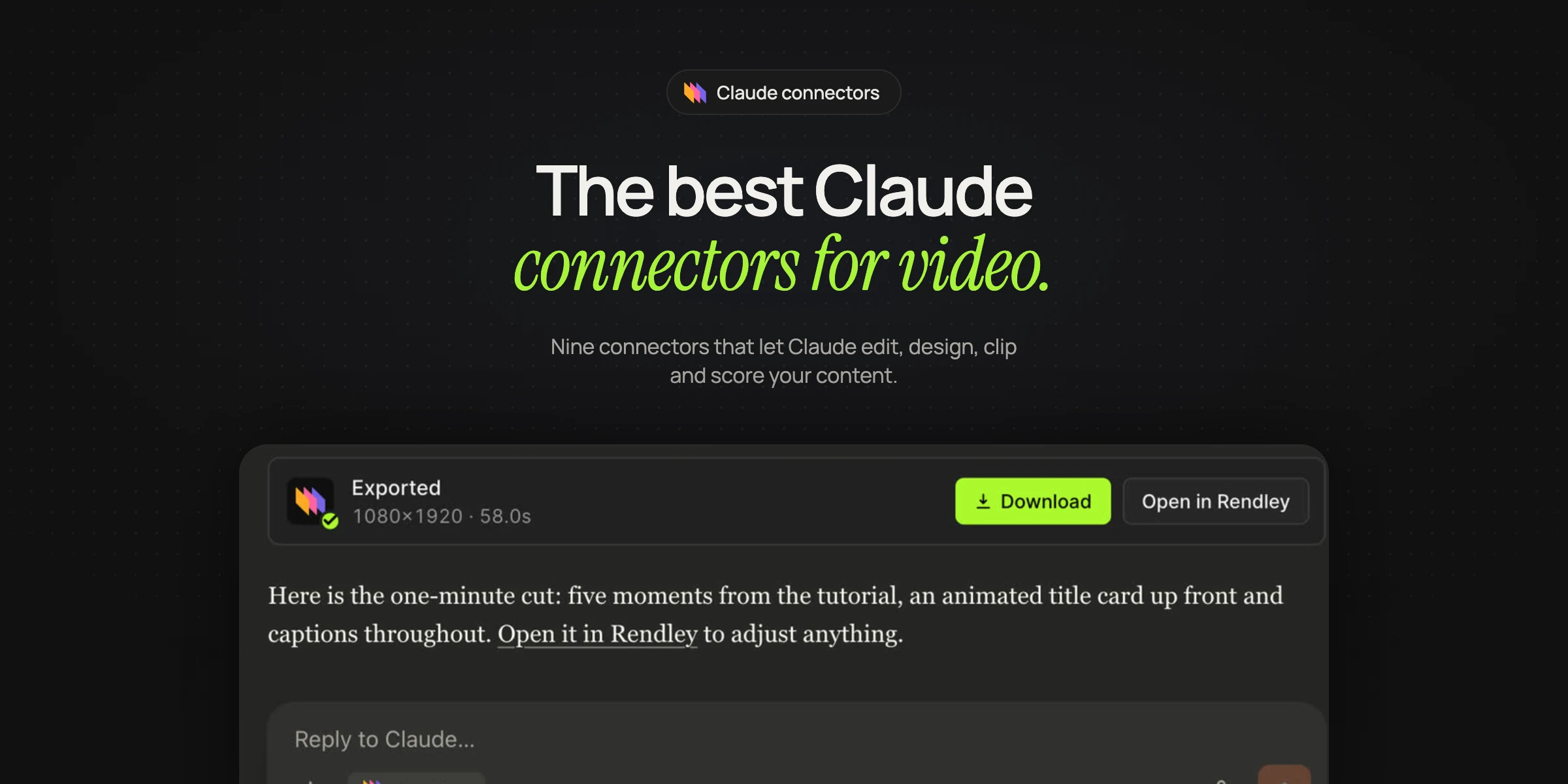
Claude connectors are integrations, built on MCP (Model Context Protocol), that let Claude work inside other apps. You add them from Claude's connector directory or under Customize > Connectors, and they cost nothing on Claude's side on any plan, Free included (Claude Help Center).
These are the nine we would add for video and content work as of November 2026. We make Rendley, so it is our first pick; the rest are ranked by how much they help with video, and each comes with the main problem users report.
| Connector | Best for | |
|---|---|---|
| 1 | Rendley | Editing your footage into finished videos |
| 2 | Canva | Social graphics and decks |
| 3 | Adobe | Photo edits and resizing for each channel |
| 4 | Descript | Editing podcasts by transcript |
| 5 | Riverside | Clips from Riverside recordings |
| 6 | OpusClip | Short clips from one long video |
| 7 | Gamma | Decks and docs from a script |
| 8 | Epidemic Sound | Licensed music and sound effects |
| 9 | Notion | Scripts, notes and content calendars |
The best Claude connectors for video and content
1. Rendley
Rendley gives Claude a real video editor: share a recording, say what the video is for, and its editing agent cuts filler and retakes, adds captions, stock B-roll and the titles Claude writes, makes vertical and square versions, and exports an MP4. It shows its plan before it spends anything, and every result is a project you can change by hand in the Rendley editor (Rendley docs).
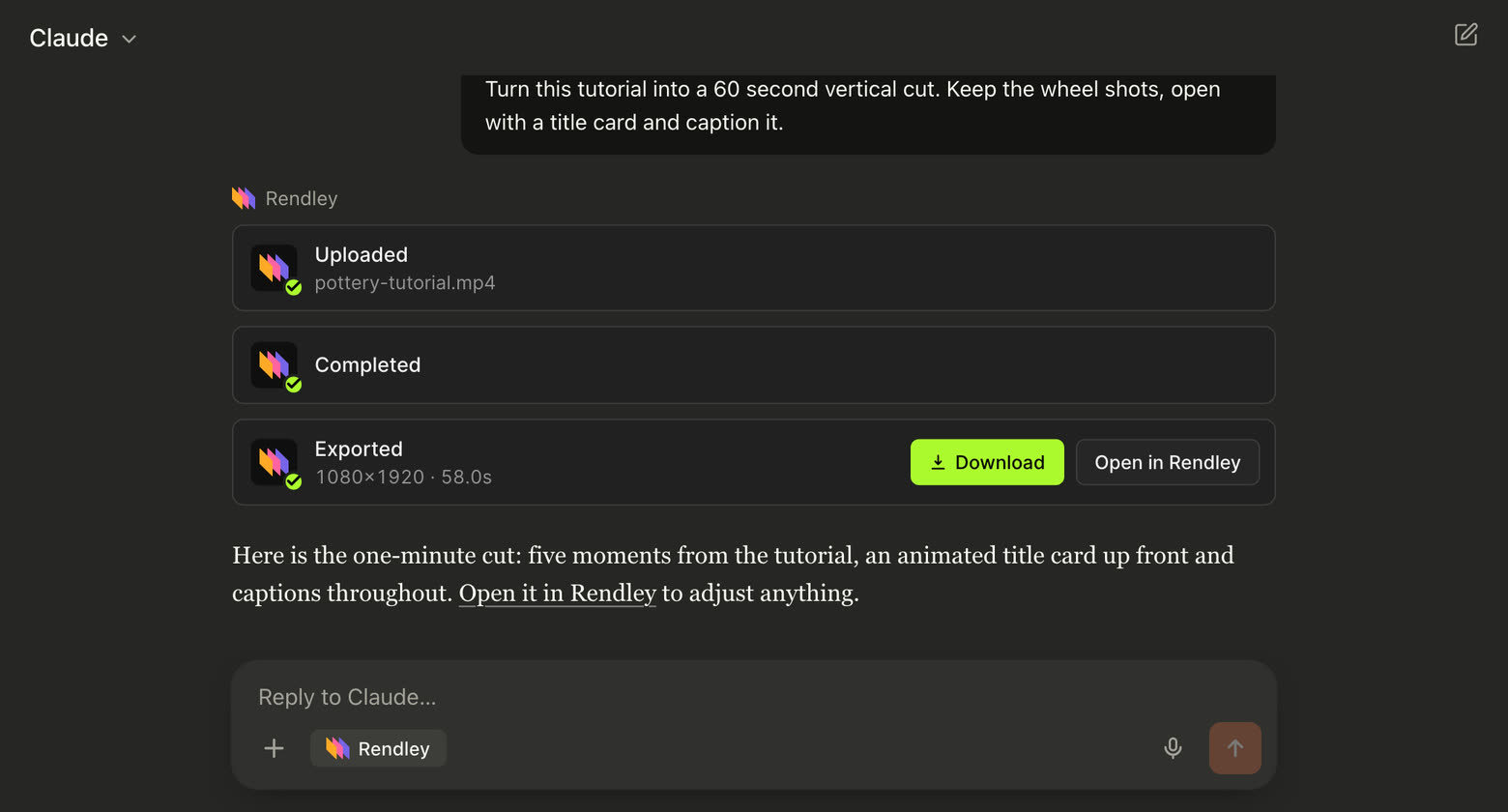
- Best for: turning talking-head videos, demos, podcasts and webinars into finished cuts without opening an editor.
- Watch out for: the directory version doesn't generate footage, voiceover or music. Those are in the Rendley editor and in ChatGPT.
Our Claude video editing page shows a full edit.
2. Canva
Claude can search your designs, make new ones from templates with your copy, and export them inside the chat.
- Best for: marketers whose social graphics and decks already live in Canva.
- Watch out for: edits through the connector can fail with an access error while reading designs still works, according to two reports on Anthropic's GitHub (March 2026, July 2026).
3. Adobe
Adobe brings Photoshop, Lightroom, Express, Acrobat, Premiere and Adobe Stock tools into the chat, so Claude can batch-edit photos, resize images and video for each channel and work on PDFs.
- Best for: teams already paying for Creative Cloud.
- Watch out for: it edits images but can't generate new ones with Firefly from a text prompt, which Adobe's community team acknowledged in August 2026.
4. Descript
Descript hands your request to Underlord, its editing agent, which transcribes, removes filler words, cleans up audio and pulls highlight clips.
- Best for: podcasters who already edit in Descript.
- Watch out for: reviewers say Underlord's edits introduce errors that take more AI credits to fix, with one reporting 400 credits gone in under 15 minutes (Trustpilot).
5. Riverside
If you record in Riverside, Claude can search your transcripts, cut clips, add captions, draft show notes and publish to your linked accounts.
- Best for: shows that record in Riverside.
- Watch out for: users say its AI edits still need manual cleanup, and an analysis of more than 1,600 reviews flags imprecise AI editing and transcription glitches (AWS Marketplace review, Kimola).
6. OpusClip
OpusClip turns one long video or YouTube link into short clips, then reframes them, adds captions and schedules posts.
- Best for: one recording into many shorts.
- Watch out for: reviewers say credits run out fast and reprocessing a clip the AI got wrong costs more (Trustpilot).
7. Gamma
Gamma builds presentations, documents, social posts and simple sites from a prompt or your notes (Gamma).
- Best for: turning a video script into a deck.
- Watch out for: reviewers call the AI decks generic and say fixing them takes a long time (Trustpilot).
8. Epidemic Sound
Claude can search Epidemic Sound's music and sound effects by mood, tempo or genre, and recut a track to the length you need (Epidemic Sound).
- Best for: finding licensed music for a cut.
- Watch out for: the directory version leaves out the Voices tool, and downloads need a paid subscription.
9. Notion
Claude can search your Notion workspace, update pages and databases, and save finished scripts and drafts back (Notion).
- Best for: teams that plan content in Notion.
- Watch out for: some users report the hosted connection dropping at random, an issue still open on Notion's GitHub, and reviewers say Notion AI credits run out fast (Trustpilot).
How to add a connector
- Open Customize > Connectors in Claude on the web or in the desktop app.
- Select Discover, then search for the connector.
- Open its page and select Connect to Claude.
- Sign in to the service and approve access.
- In a chat, open the + menu, choose Connectors and turn it on.
On Team and Enterprise plans, an Owner adds a connector for the organization first, and then each member signs in with their own account (Claude Docs).
Frequently asked questions
What are Claude connectors?
They are integrations, built on MCP, that let Claude read data from other apps and act in them, such as editing a video in Rendley or making a Canva design. You find them in Claude's connector directory.
Are Claude connectors free?
Yes on Claude's side: directory connectors work on every plan, including Free. The app you connect may have its own plans.
How many connectors can Claude use?
Anthropic lists no cap on directory connectors. With 10 or more active, it suggests switching Tool access to On demand so they take up less room in each conversation.
Add Rendley to Claude and edit your next video from the chat.