How to Make AI Video Ads from One Product Photo
Turn one product photo into a vertical video ad with camera moves, copy and a call to action from one prompt to an AI agent, then make the variants you will actually test. A real example with the prompt we used.
Paid social runs on fresh creative. An ad that worked last month gets tired, every placement wants a different shape, and a product shoot for each new angle is expensive. Most teams end up running the same few videos for longer than they should.
AI can now turn the product photos you already have into short video ads, which makes it cheap to keep new creative in testing. In this guide we make one from start to finish with a single prompt to Rendley's AI agent, from one product photo to a 12 second ad with copy and a call to action that you can keep editing. Then we show how to turn it into the variants worth testing.
What you need before you start
- A clean product photo. A studio shot on a plain background works best, because the video model has less to invent.
- Two or three lines of copy you can back up. Ad text is a claim, so it has to be true.
- The placement you are making it for first. Most teams start with vertical video for Reels, Stories and TikTok.
The tools we used
We made the ad in Rendley, a video automation platform. It has an AI Studio for generating images and video clips with models such as Nano Banana, Kling, Veo and Seedance, and an AI agent that turns a brief into a finished ad on an editable timeline.
For this guide we used a fictional product, a reusable water bottle called Sage Bottle, and generated the product photo itself in AI Studio. With a real product, use your own photo. A generated image of your product can drift from the real thing in shape, color or detail, and an ad that shows something different from what ships is a problem you do not want.
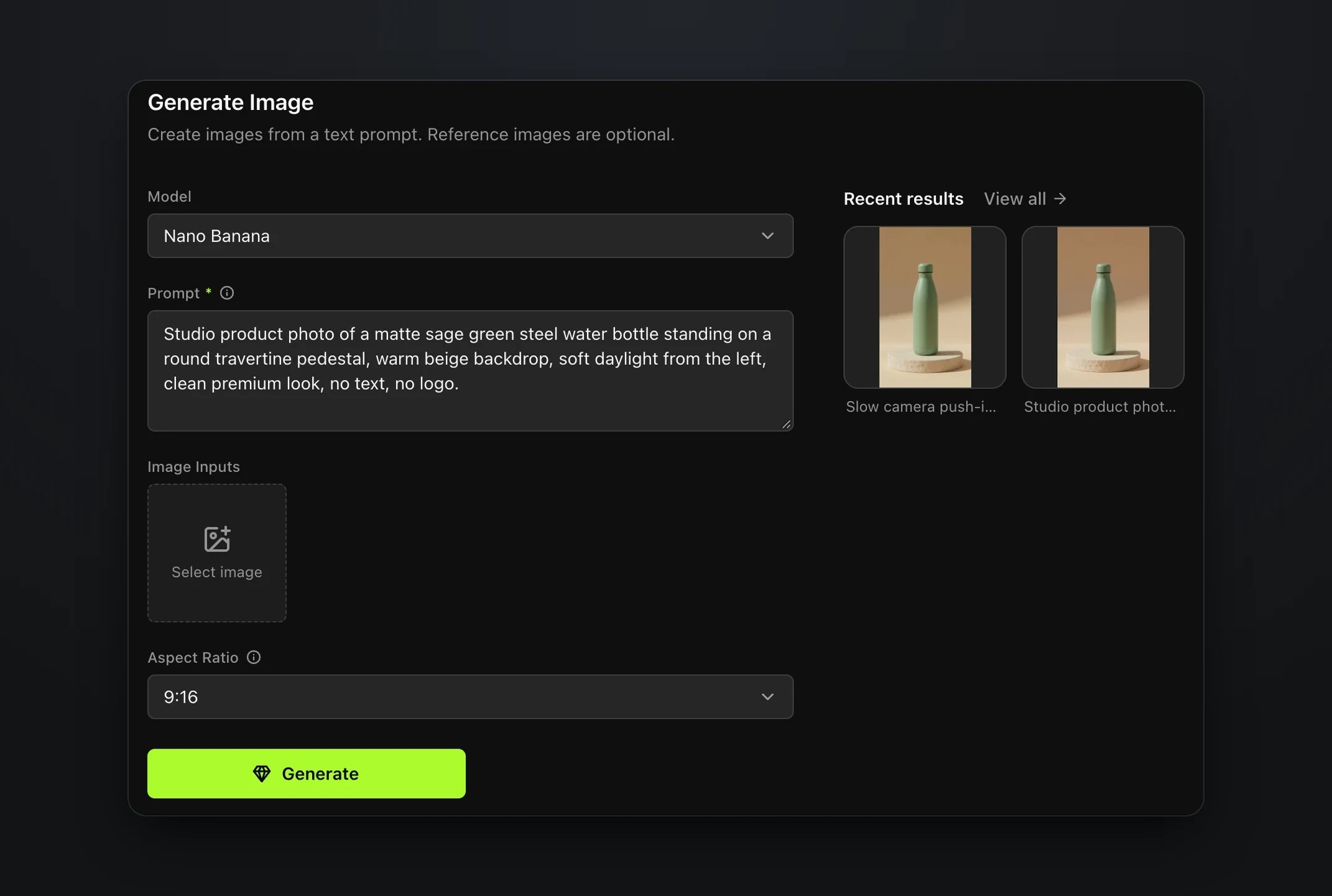
Brief the agent in one prompt
Open Create, attach the product photo and describe the whole ad in one prompt. Say how long it is and what shape, which shots you want, how the music should feel, every line of copy and where it goes, and how the ad ends.
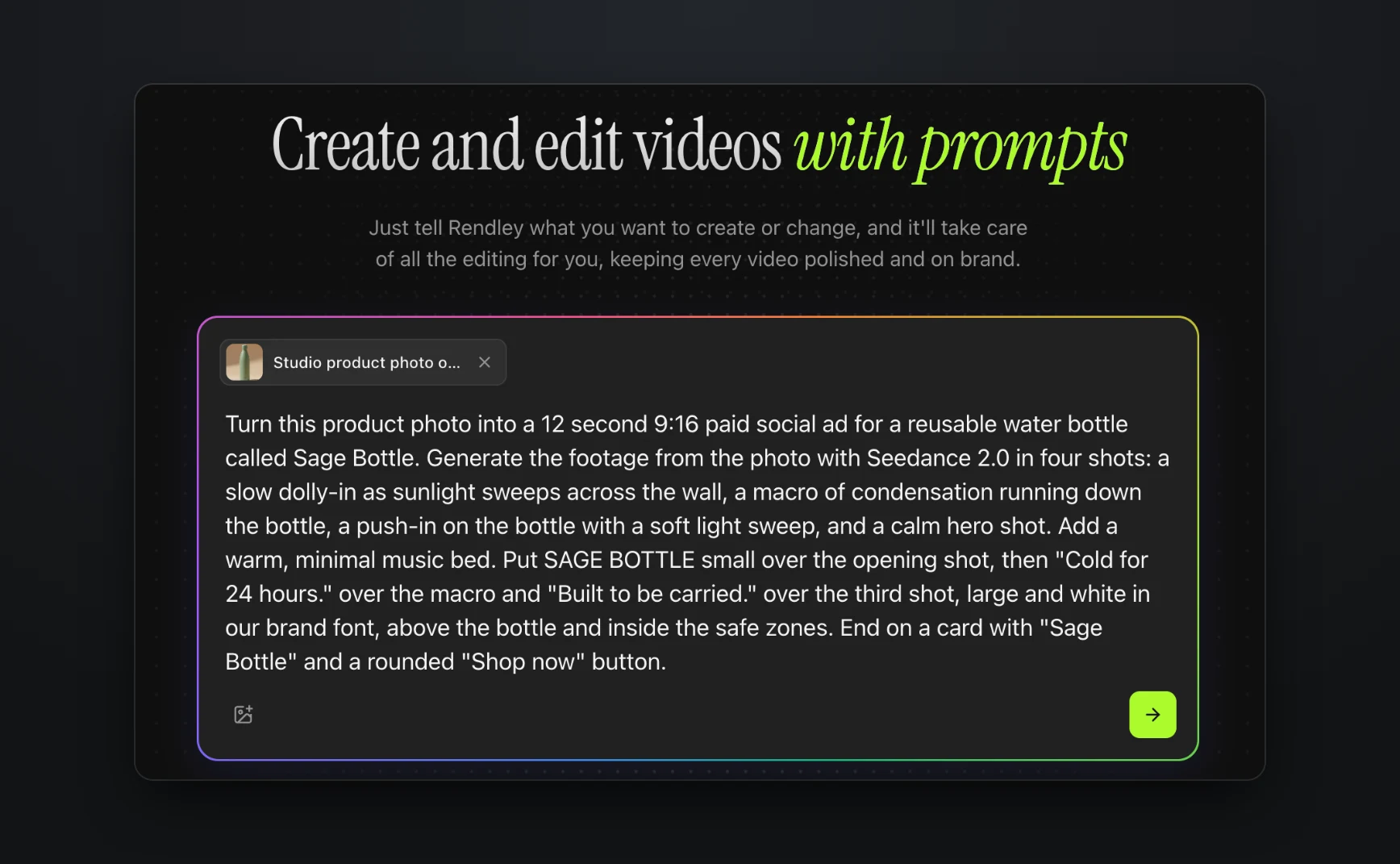
A few habits make the brief work. Describe each shot as one camera move, since stacked moves make the motion unstable. Give the detail that sells the product its own shot, here the condensation. Keep every line of copy short, say where it sits, and keep it above the product and inside the safe zones. Name the call to action you want on the end card, word for word.
The finished ad
The ad is 12 seconds long. It opens on the photo with a slow push-in while a band of sunlight crosses the wall and SAGE BOTTLE fades in above the bottle. It cuts to a macro of a drop running through the condensation under "Cold for 24 hours.", moves in on the bottle as a shadow sweeps across it under "Built to be carried.", and settles on a hero shot that blurs into a sage end card with the name and a Shop now button. Each line eases in just after a cut, and the music fades out under the end card.
The bottle kept its shape and color in every shot. The pedestal did not, because the last shot puts the bottle on a taller block of travertine. That is the kind of detail to check before an ad goes live, and asking for another take of that shot is the fix if it matters for your product.
Edit it afterwards in the editor
The ad lands in the editor as a normal project, so nothing about it is final. The footage, the blurred copy of the last shot, the tint and every line of text are separate layers on the timeline, so you can rewrite a claim, move it to another shot or retime the end card by hand, or ask the agent to do it.
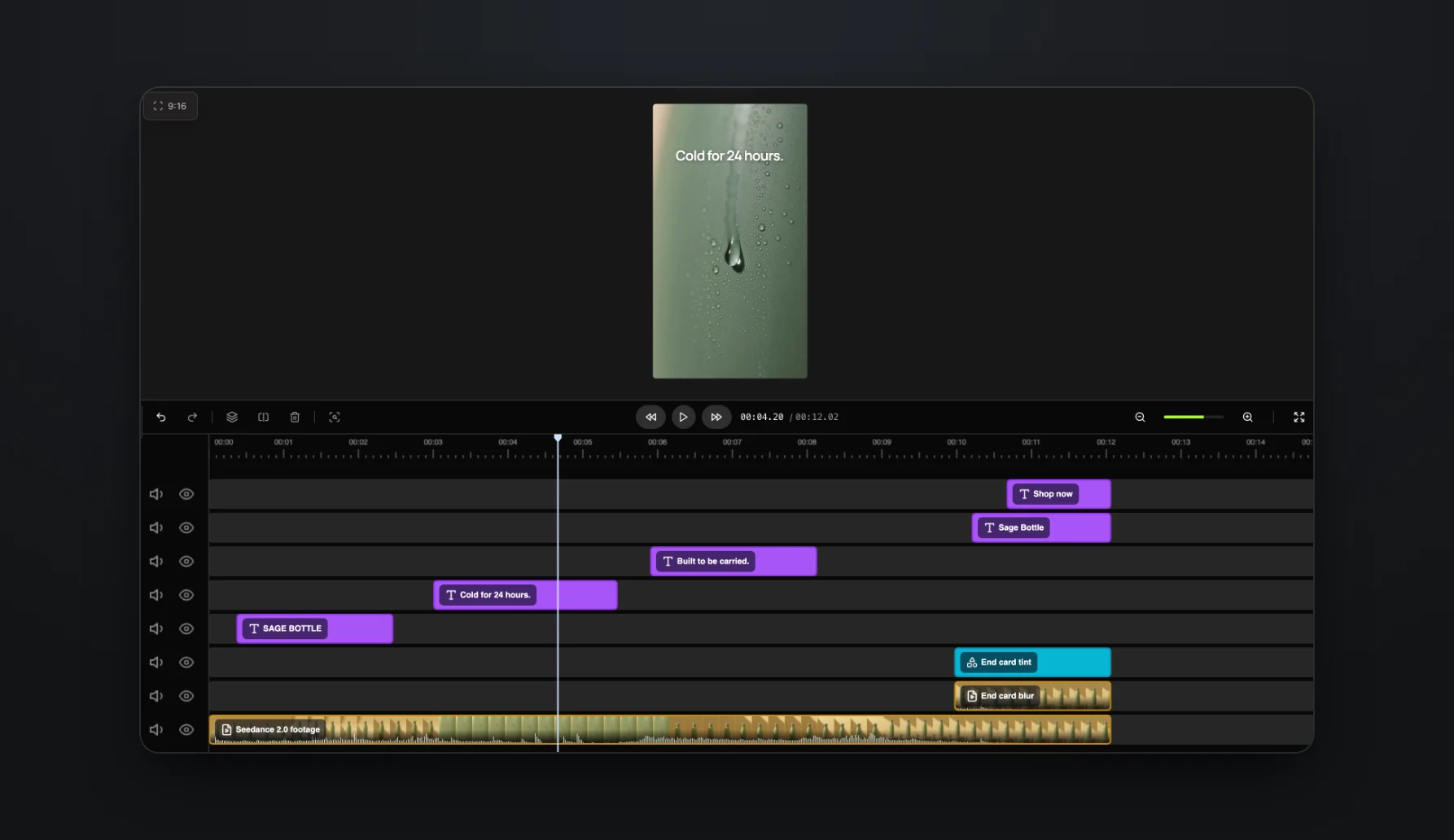
Make the variants you will actually test
One ad is a guess. The point of making ads this way is to test several, and that is where most of the time savings are.
- Placements. Duplicate the project and use Auto-reframe to make square and 4:5 versions for feed placements. Our guide to auto reframing video shows how it keeps the product in frame.
- Hooks. Ask the agent for a different opening shot or a new first line, for example "Leakproof, so it fits any bag."
- Offers. Turn the project into a template with the text and media as fields, then fill it once per offer.
If you run ads for many products, the same template works at scale. The Rendley API can create a project from the template for each product, with its photo and copy in the fields, and export it for review.
Check the ad before you spend on it
- Claims. Every line of ad copy is a claim, and "Cold for 24 hours" needs a test behind it.
- Safe zones. Platforms put buttons and captions over the bottom and the right side of vertical ads, so keep text away from those edges and check the ad in each platform's preview.
- AI labels. Meta labels ads made or substantially edited with generative AI, and says it also detects ads made with third-party AI tools (Meta). TikTok asks creators to label realistic AI-generated content (TikTok).
- Product accuracy. Image-to-video models invent small details, such as the condensation and the taller pedestal in our clip. That is fine for a bottle, but compare every generated shot with the real product before it goes live.
When the ad is ready, export it and upload it in your ad manager. Rendley publishes organic posts to connected social accounts, but paid campaigns run from each platform's own ad tools.
Start with one product
Pick one product with a good photo, attach it in Rendley Studio and describe the ad in one prompt. If it performs, the variants and the template are the next step.