Video editing MCP: your AI asks, Rendley cuts.
Add Rendley to ChatGPT, Claude, or Cursor. Describe the video and get an edit you can export or keep changing.
- Official in ChatGPT and Claude
- Any MCP client with a URL
- Free to connect
What is a video editing MCP server?
MCP lets an AI assistant like ChatGPT or Claude use outside tools. A video editing MCP server gives it a real editor, so it can cut, caption, and export your video instead of explaining how.
What your assistant can do with Rendley.
Rendley’s editing agent, inside your assistant. Claude’s directory listing leaves out generated media, dubbing, and AI cleanup.
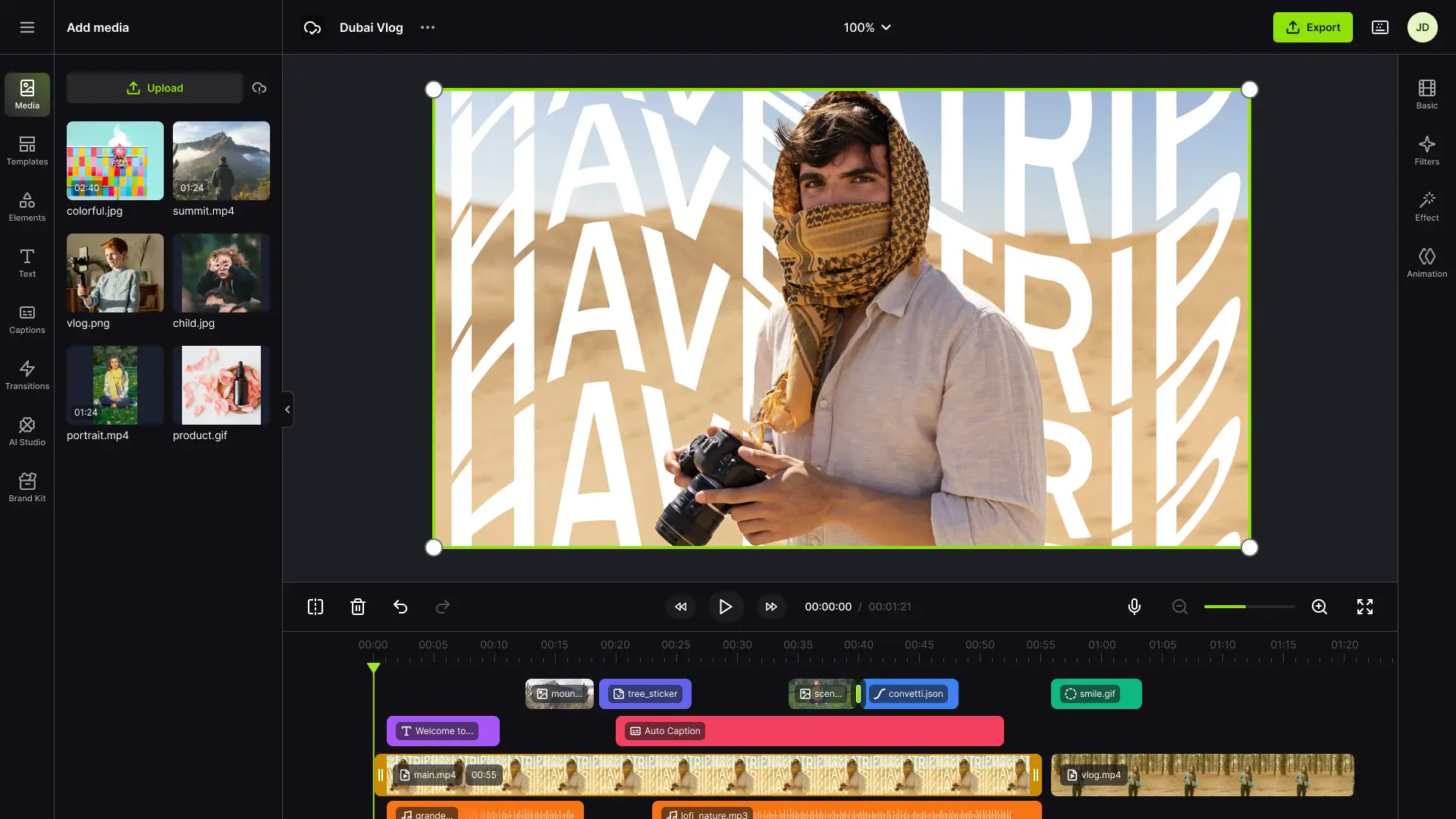
- A real edit
- The agent watches the footage, decides the cut, and builds it on a timeline.
- Captions
- Timed to every word, styled or karaoke.
- Generated media
- Images, video, voiceovers, music, and sound effects on credits, plus free stock B-roll.
- Motion graphics
- Your assistant writes the animation, and Rendley adds it as an editable clip. No credits.
- Every format
- 9:16, 1:1, and 16:9 from one project, with smart reframing.
- Other languages
- Translated subtitles, and dubs with lip-sync.
- Your brand kit
- Logo, colors, fonts, and caption styles from your workspace brand kit.
- Files from anywhere
- Chat attachments, public links, local paths in Claude Code or Cursor, or media in Rendley.
Connect it to your assistant.
Add it from the directory in ChatGPT or Claude. Any other client that supports remote MCP takes a URL.
ChatGPT
In ChatGPT’s plugin directory
- 1.Open Plugins and search for Rendley.
- 2.Click Install plugin and allow access.
Claude
In Claude’s connector directory
- 1.Open Customize → Connectors and search for Rendley.
- 2.Click Connect and allow access.
Any other MCP client
Cursor, Codex, VS Code, and more
Add a remote MCP server with this URL, then sign in to Rendley when the browser opens.
https://mcp.rendley.com/mcpWhat to ask.
Name the files, the length, and what goes on screen.
Cut this webinar into five captioned vertical clips for LinkedIn
Add captions in our brand style to every clip in this project
Turn these product photos into a 15-second ad with upbeat music
Replace the background behind the speaker with our brand color
Use ./demo.mov and our logo to make a 30-second launch video
Write an animated lower third for each speaker
Find the strongest 60 seconds of this interview and caption it
Make a YouTube Short from this blog post with stock B-roll
Make three versions of this ad: 9:16, 1:1, and 16:9
Translate this explainer into German with a dubbed voice
Generate a voiceover from this script and lay it over the screen recording
Clean up the audio and cut the retakes from this tutorial
Frequently Asked Questions
An MCP server gives an AI assistant tools it can call. A video editing MCP server gives it a video editor: the assistant reads your footage, cuts, captions, and renders it, and returns the video, instead of only describing the edit. Rendley’s is hosted, so there is nothing to install.
ChatGPT and Claude, from their own directories, with no URL to paste. Cursor, Codex, VS Code, Windsurf, Zed, and other clients that support remote MCP connect with the server URL. You then sign in with your Rendley account.
Yes. Share your clips, images, and audio by link or upload, and Rendley trims, captions, and assembles them into a video. You can mix your own footage with stock and AI-generated shots in the same project.
Yes, from clients that can read local files, such as Claude Code, Codex, and Cursor: name the file paths in the prompt and the client uploads them to Rendley. In browser clients, attach the file or share a public link.
Yes. Every video the agent makes is a real project in your Rendley workspace, so you can open it in the full editor to adjust the timeline, swap a clip, or change the text, then export again. The chat and the editor work on the same project.
Yes. Your assistant can list your workspace templates, read the fields each one exposes, and render a new video by filling them, for example once per row of a sheet you share in chat. On Pro and Business, it can also turn a project into a template.
See Template AutomationThe editing agent does: it shows its plan with the credit price and waits for your approval. Cloud exports also use credits, and they run when you ask for one.
Connecting is free. On the free plan your assistant can add your files and make simple edits itself, and you export in your browser. Rendley’s editing agent and cloud exports need a paid plan, from Starter at $29 per seat a month.
See plansGive your assistant a video editor.
Free to connect. Rendley’s editing agent starts at $29 per seat a month.