What Seedance 2.5 Changes for Marketing Teams
Seedance 2.5 generates a 30-second continuous take, accepts up to 50 reference files, and edits by timestamp instead of regenerating the whole shot. This is what that changes for a marketing team, and what it does not.

ByteDance released Seedance 2.5 on July 31, 2026. It generates short video with synchronized audio from a text prompt and reference material. The main advance over earlier versions is length. A single generation can run up to 30 seconds as one continuous shot, holding the same subject and setting throughout, and clips can be extended across multiple rounds for longer sequences.
For a marketing team, that suits some work well and other work poorly. It fits social ads, product films, brand films, and presenter-led spots, where a continuous take and generated sound carry most of the result. It does not fit precise mechanical demonstrations, or any shot where a logo, label, or package has to appear exactly as designed. The sections below set out where that line falls.
You can generate with Seedance 2.5 in Rendley and edit the result in the same place.
What changed in 2.5
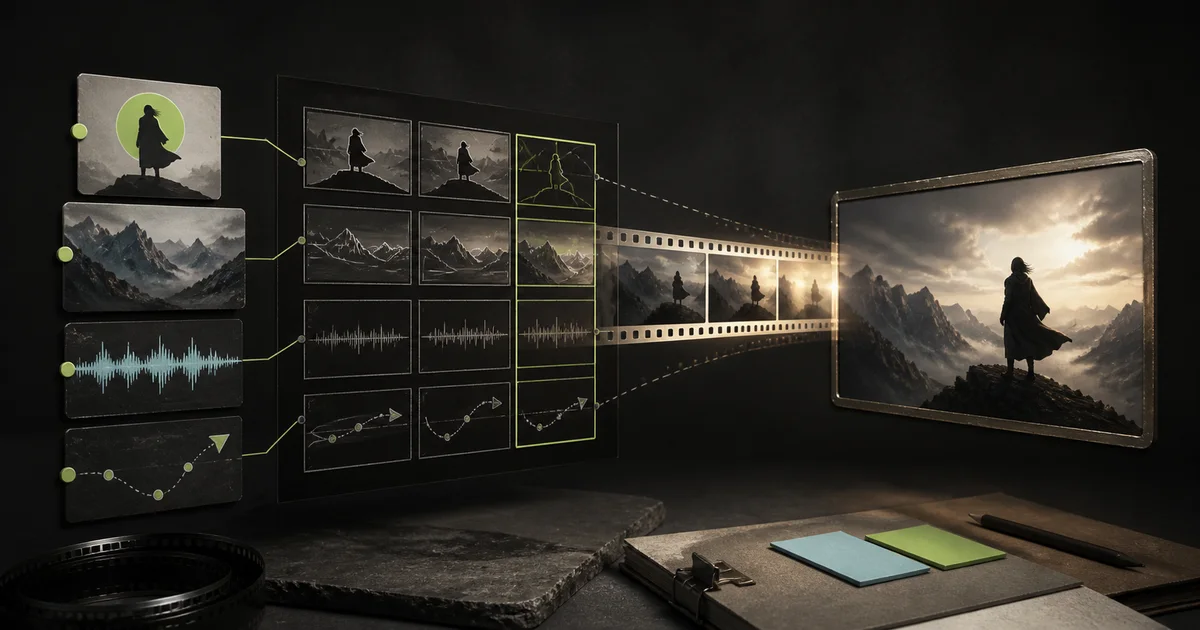
Seedance 2.5 keeps the architecture of 2.0, in which audio and picture are generated together rather than added in a later step. The differences are in scope. Version 2.0 was limited to around 15 seconds, and 2.5 extends that to 30 while adding multi-round extension. It also broadens reference input to 30 images, 10 video clips, and 10 audio clips in a single generation, and it adds timestamp-level editing of an existing clip.
| Seedance 2.5 | |
|---|---|
| Clip length | Up to 30 seconds per generation, extendable across rounds |
| Reference material | Up to 30 images, 10 videos, and 10 audio clips per generation |
| Timing | Action can be directed to the second |
| Editing | Modify part of an existing clip without regenerating all of it |
| Audio | Speech, effects, and music generated with the video, plus re-dubbing of existing clips |
| Resolution | 480p or 720p |
One continuous take, fewer edit seams
A large share of marketing video runs between 15 and 30 seconds, including pre-rolls, explainers, and social cutdowns. With earlier models, producing these usually meant generating several short clips and assembling them, and every cut between clips was a point where continuity could break. A face, the lighting, the wardrobe, or the audio could change slightly from one fragment to the next, and those inconsistencies are the ones a reviewer notices first.
A 30-second generation produces the sequence in a single pass, so there are no internal cuts to reconcile. ByteDance calls this one-take generation, meaning a continuous shot that runs a complete sequence from start to finish without cuts. In practice it means you can plan and revise a short spot as one piece rather than assembling it from parts and hoping they match.
The improvement is real but bounded. ByteDance reports steadier subjects and cleaner motion, and separately states that complex motion and scenes with several interacting people remain unreliable. Continuity within one take is better than continuity across many clips, but it is not something to assume, and the footage still needs review.
Give every reference a role
The wider reference input is the second change worth planning around. A single generation accepts up to 30 images, 10 videos, and 10 audio clips, though the maximum is rarely the objective. BytePlus recommends roughly one to eight subjects for images and one to five for audio or video, and a small set of clear references produces more predictable output than a large one.
The condition is that every reference has a defined role in the prompt. One image is the product, one is the presenter, one is the location, one audio file is the voice, another is the music. A reference the model cannot map to a role is one it will interpret on its own. This is where an approved asset library becomes directly useful, supplying product angles, the current logo and color, recurring people and wardrobe, a clip that demonstrates a camera move, and cleared voice or music.
Two limits apply. References guide generation but do not reproduce your assets exactly, so any generated logo, label, packshot, or on-screen text should be reviewed and, in most cases, replaced with the real artwork in post-production. And references only take effect when the prompt assigns each one a role, so attaching several images without instruction leaves the outcome to the model. The companion guide, how to prompt Seedance 2.5, covers how to write those assignments.
Editing a clip instead of regenerating it
Feedback on video is usually specific, such as changing one action, removing the music under a line, or adjusting a single shot. Earlier models handled this badly, because any change meant regenerating the whole clip and accepting a new set of continuity differences.
Seedance 2.5 supports timestamp-level editing. You can direct the action by time when you generate, and you can return to an approved clip to modify a character, an action, the audio, the camera angle, or a plot element while the rest stays in place. ByteDance also lists green-screen and reference-based editing among the supported operations. In the companion guide's editing example, a two-person fight is edited to replace both characters and the setting with new references while preserving the original choreography and timing.
This changes the revision cycle more than the output. A note becomes a targeted edit rather than a fresh generation. The clip should still be checked in full against the approved version before release, because a targeted edit can affect more than the region you intended.
What still requires review
ByteDance names two areas as unreliable, the physics of complex motion and stability in scenes where several subjects interact. For marketing use, these translate into specific checks.
Hand and product interactions, such as unboxing, pouring, or assembly, need close inspection whenever the motion supports a product claim, because a plausible-looking action is not necessarily an accurate one. Brand elements need the same scrutiny. Generated logos, labels, packaging, and on-screen text tend to drift from the original and should be replaced with approved artwork where accuracy matters, with typography and captions added in post-production.
Scenes with several people are the weakest area ByteDance identifies, so eye lines, physical contact, and spatial arrangement are worth verifying. Beyond the footage, any use of a real likeness, voice, or piece of music requires the same rights and approvals as a conventional shoot, and generated video should pass the same brand, legal, and claims review as any other asset. Generated audio is convenient but is not automatically licensed, mixed to specification, or consistent in level, particularly after an extension.
Aspect ratio is fixed at edit time
Editing preserves the aspect ratio of the source clip. An edit of a 16:9 clip returns 16:9 and cannot produce a 9:16 version. Decide channel framing before generating and produce each ratio you need directly, or plan to reframe in an editor afterward.
A starting workflow
A low-risk way to evaluate the model is to start small and build up.
Assemble a small approved reference set, covering the product from a few angles, the packaging, the current logo, one or two environment plates, and any cleared people or voice references. There is no benefit to filling all 50 reference slots.
Adapt a concept that already works into the model's format, with a one-line summary, the action described second by second, and notes on camera, environment, mood, and audio, and a defined role for each reference.
Begin with lower-stakes formats. Concept films, atmospheric cutaways, internal pitches, and short-lived social variants tolerate error better than a product demonstration or a regulated claim.
Split the review into two stages. First confirm that the narrative and motion work, then check product fidelity, continuity, rights, claims, captions, audio, and channel specifications.
Keep a final editing pass. Trim the clip, replace generated text, add approved captions and music, correct audio levels, and export the required sizes for each channel. The model produces footage, not a finished deliverable.
The bottom line
BytePlus describes 2.5 as a production upgrade rather than a step change on the scale of 2.0 over 1.5, and that is a fair account of it. The improvements are practical ones. Longer single takes, broader reference input, second-level timing, and localized revision together make it easier to specify what you want and to change it without starting over. They do not replace creative judgment, review, rights clearance, or post-production.
For a team producing at volume, the more useful property is repeatability. A concept that works once can be re-run with a different product or for a different market.
Where Rendley fits
Generation is one stage of the work. A finished asset still needs trimming, captions, approved typography and music, audio correction, and a version for each channel.
Rendley keeps generation and editing in one environment. You can generate with Seedance and other models, then cut, caption, and export without moving the file between separate tools. For high-volume versioning, the video editing API and SDK handle the repetitive production.
For prompt structure and worked examples, see how to prompt Seedance 2.5.
Your team can ship its first video tonight.
Open Rendley, type a brief, watch the agent draft the cut. The free plan covers everything you need to see the value.
Continue reading.
More from the studio.
How to Prompt Seedance 2.5
Seedance 2.5 judges your prompt against the task you picked, whether text to video, references, editing, extension, or first and last frame. This is the parameter map for each one, with the official examples in full.

Rendley vs Runway: Generative Video Lab or Full Editor?
Runway is a generative video powerhouse. Rendley is a browser-based editor with 25+ AI models and an AI agent. Here is which one actually fits your workflow, and where each genuinely wins.

How to Use Seedance 2.5 Through an API
A working guide to calling Seedance 2.5 from your backend with the Rendley API. It covers the request shape, every parameter, reference images and video, first and last frame, editing, extension, polling, download, and cost.