How to Prompt Seedance 2.5
Seedance 2.5 judges your prompt against the task you picked, whether text to video, references, editing, extension, or first and last frame.

The most reliable way to prompt Seedance 2.5 is to start with the task, not the prose. BytePlus classifies each request as text-to-video, reference-to-video, editing, extension, or first/last-frame generation. That classification controls which parameters are valid and which properties of the output are locked.
This guide follows BytePlus's official Seedance 2.5 prompt guide and API tutorial. The examples below include every referenced image or video available in the official example, so there are no orphaned @Image or @Video tags.
One point to clear up first. The official guide does not document any special bracket language for audio, so do not assume that ( ), < >, or { } route music, sound effects, or dialogue. BytePlus's examples use plain instructions such as Dialogue (elderly woman): "Fly safe, my child." and No BGM; generate only environmental sounds and action sounds.
Choose the task before writing the prompt
Seedance 2.5 uses the prompt intent and each asset's content.role to determine the task. For the ModelArk API, the model ID is dreamina-seedance-2-5-260628.
| Task | Asset role | Required settings | What is locked |
|---|---|---|---|
| Text-to-video | No asset | Choose ratio and 4-30s duration | Nothing |
| Reference-to-video | reference_image, reference_video, or reference_audio | Choose ratio and 4-30s duration | Nothing; assets are semantic references |
| Editing | Reference roles plus an edit verb such as replace, remove, or modify | ratio: adaptive, duration: -1 | Input video's ratio and approximate duration |
| Extension | Reference roles plus an extension verb such as extend or continue | ratio: adaptive; duration is user-defined | Input video's ratio |
| First/last frame | first_frame and optionally last_frame | ratio: adaptive; duration is user-defined | First image's ratio |
Getting the task right matters, because if a reference-to-video prompt accidentally reads like an edit or an extension, ModelArk can classify it as that task and reject the parameters that no longer apply. For editing and extension, BytePlus recommends MOV output, and for extension it recommends MOV on both the input and the output so color, brightness, and audio stay continuous.
The public API currently outputs 480p or 720p, in MP4 or MOV. Its ratio parameter offers six fixed ratios plus adaptive. BytePlus separately notes that adaptive, input-controlled generation can produce ratios from 0.4 to 2.5.
The prompt structure
For a text-only or reference-driven generation, work in three descriptive layers, with an asset manifest before them when files are attached.
- A one-sentence summary that states the subject, location, event, genre or style, and camera movement.
- A detailed plot, divided by timestamps or shot numbers, that specifies the visuals, actions, camera, dialogue, and sound.
- Any additional notes on details that must stay consistent, such as framing, environment, atmosphere, and audio.
The structure is a guide rather than a strict parser, and clarity and non-contradiction matter more than headings.
Complete text-to-video example
This official panda example has no reference files. The complete prompt is:
Realistic nature documentary style, natural lighting and shadows. On a warm
afternoon, on a grassy slope in the forest, a chubby panda cub rolls down the
hill.

The panda has fluffy, realistic black-and-white fur, a small round body, and
clumsy, adorable movements. The scene is a green forest slope. The ground is
covered with grass, moss, clover, soil, small stones, dry branches, and a few
small yellow flowers. Tall tree trunks and dense woods are softly blurred in
the background. The camera is a low-angle medium-wide shot with a slight
handheld feel. The framing remains mostly stable, keeping the panda in frame at
all times.

0s-3s: A panda cub lies on a green grassy slope, its body round and chubby. It
begins to slowly roll sideways down the slope with clumsy movements, gently
bending the grass beneath its body. A light breeze passes through, and sunlight
filters through the trees from the upper left, creating dappled light and
shadow.

3s-8s: The panda rolls toward the lower right of the frame and gradually comes
to a stop, shifting from lying on its side to lying on its belly. Its round face
turns toward the camera, and its front paws press into the grass. The panda lies
in the foreground grass, adjusts into a comfortable position, slightly raises
and lowers its head, and makes a soft little humming sound.

Low camera position, slight handheld feel, subtly following the panda as it
moves toward the lower right. Natural depth of field: the foreground grass is
slightly blurred, the panda remains clear, and the background forest is softly
out of focus. Natural environmental audio only, including wind, rustling grass,
and the soft plop of the panda rolling. The overall mood is warm, realistic,
and natural.
It works because the prompt describes an event rather than only a scene, the time intervals run continuously with no gaps, and the closing paragraph fixes the camera and the sound across both segments.
Map every reference asset
With more than a couple of inputs, the mapping matters more than the phrasing.
- Number assets by upload order:
Image 1,Video 1,Audio 1. - State the job of every asset, whether appearance, voice, lighting, motion, scene, camera movement, or another specific role.
- If only part of an asset should be used, name that part.
- If an asset is already accurate, refer to it instead of describing it a second time.
- Do not put mapping labels inside an image. Bind names and roles in the text; burned-in labels can cause character confusion or duplication.
Official input recommendations
| Input | Maximum | BytePlus recommendation |
|---|---|---|
| Images | 30, each up to 4K | 1-8 subjects is generally more stable |
| Videos | 10, 30s combined | 1-5 subjects and 5-10s inputs generally work better |
| Audio | 10, 30s combined | 1-5 subjects and 5-10s inputs generally work better |
| Storyboard | 15 panels or fewer per image | Simple line art, little or no text |
| Editing references | Up to the overall limits | Source video under 20s and 1-5 images generally work better |
The maximum and the recommendation are not the same number. Fifty assets are supported, but supplying fifty will not make the result more stable, and often makes it less so.
Complete multi-reference storyboard example
The official example uses exactly four images, a nine-panel storyboard, an environment plate, and two character references.
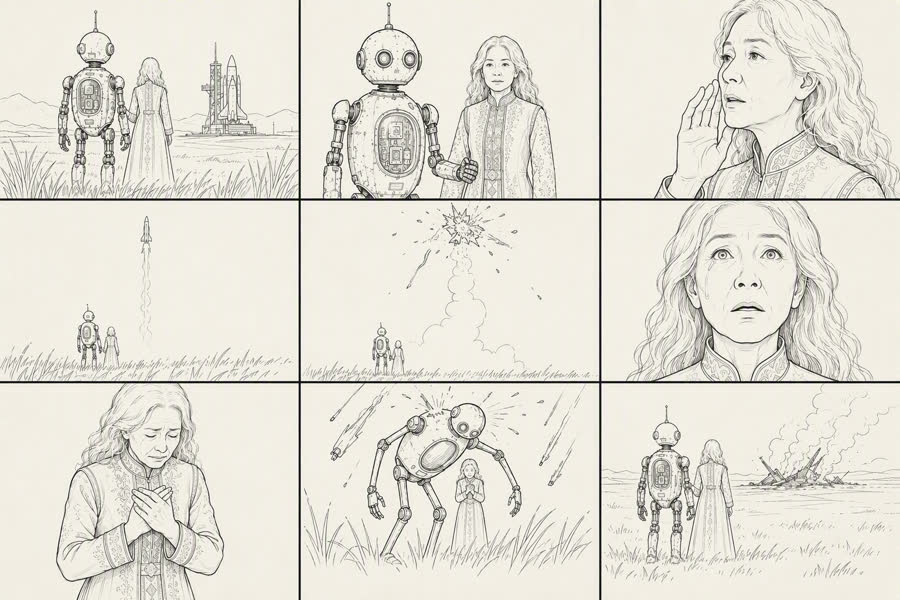 Storyboard, Image 1
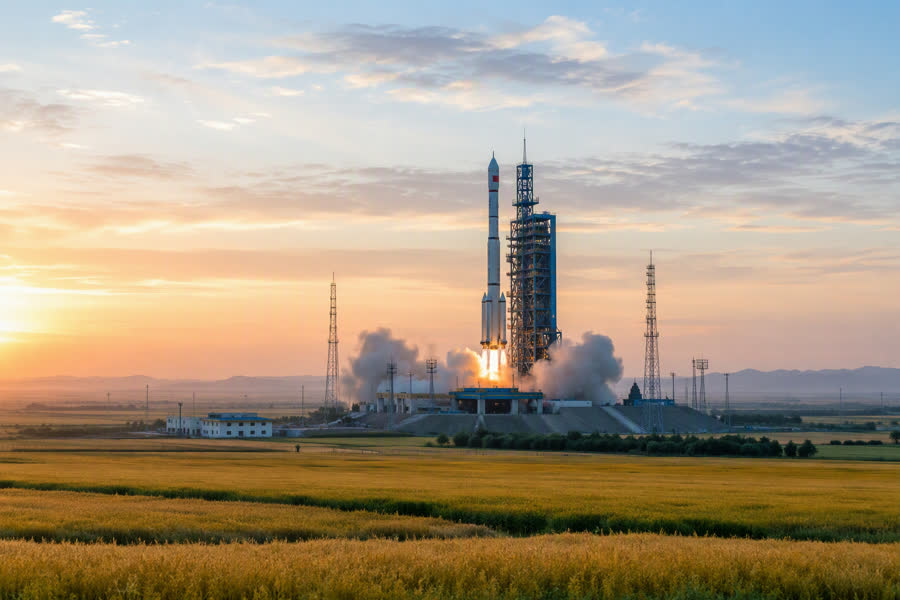 Environment, Image 2
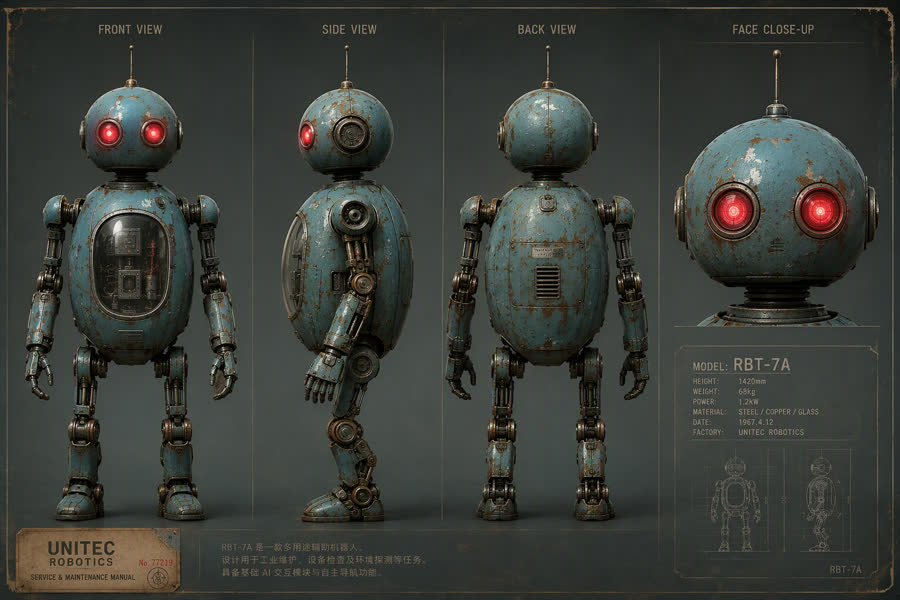 Robot, Image 3
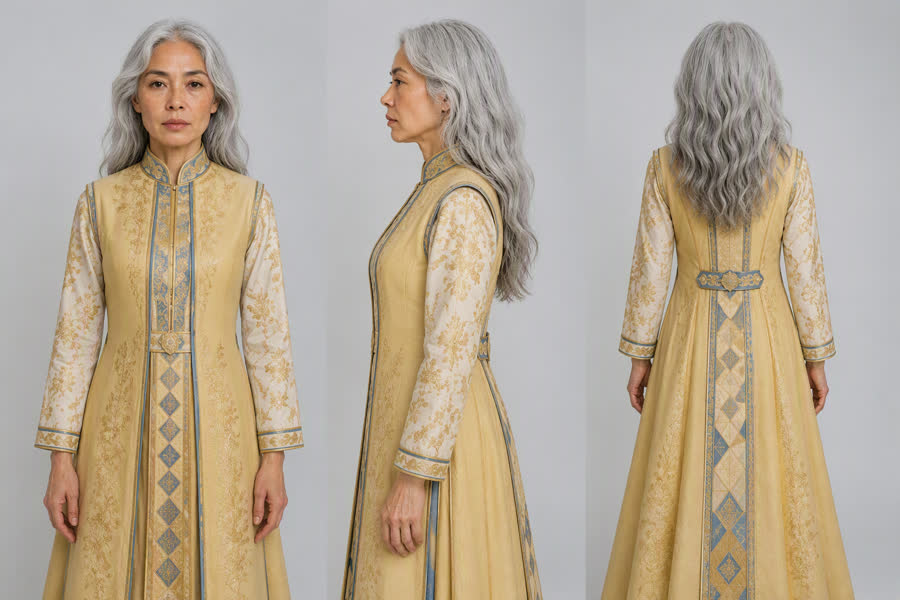 Grandmother, Image 4
The complete official prompt:
Image 1: Nine-panel storyboard reference, used for the overall shot structure,
shot sizes, and camera-movement rhythm.

Image 2: Live-action reference of a rocket launch site on a dusk grassland,
used as the benchmark for environmental composition, warm golden sunset light,
cool twilight blue tones, and realistic color live-action texture.

Image 3: Subject 1 (guardian robot) character appearance reference.
Image 4: Subject 2 (elderly grandmother) character appearance reference.

[Subject settings]

Subject 1 (guardian robot): Refer to Image 3. A near-future weathered retro
robot with an aged blue-green metal body, mottled rust, a domed head, two
glowing red circular camera eyes, thin antennas, and slender articulated limbs.
It is very tall, about twice the height of a human.

Subject 2 (elderly grandmother): Refer to Image 4. A frail elderly woman with
silver hair tied into a low bun, deep wrinkles, wearing a bright golden
floor-length dress with gold-and-blue embroidered details on the chest. Her
expression is full of reluctance and sorrow. Her height only reaches the
robot's chest.

Environment (dusk grassland launch site): Refer to Image 2. A near-future
grassland at dusk, with the sky gradually shifting from warm gold to cool blue.
On the distant horizon, a launch tower stands with a white rocket, steam rising
around it. Knee-high wild grass sways in the wind across a vast, open landscape.

[Overall style]

Live-action color cinematic film, realistic photoreal texture, full-color
visuals throughout. Color 35mm film look, fine realistic film grain, rich
cinematic color grading, IMAX large-format feel. Handheld cinematography with
breathing-like camera shake, shallow depth of field, wide aperture, continuous
drifting foreground grass, sparks, and ash. Slight Dutch angle. Strong contrast
between warm golden sunset light, cool twilight blue, and explosive warm
orange. 16:9 horizontal frame. Near-future emotional disaster-film atmosphere:
quiet, tragic, protective, and filled with reluctance.

[Strictly exclude]

Black-and-white, monochrome, grayscale, desaturated visuals; hand-drawn,
sketch, line art, illustration, comics, animation; storyboard frames, rough
sketches; tilt-shift miniature look, toy-like appearance, plastic CG, glossy
overexposed CG.

[Shot list] (9 shots, approximately 30 seconds)

Shot 1 (0-3s): Extreme wide shot, ultra-low camera position close to the
ground, looking upward, handheld camera slowly tilting downward. Refer to the
grassland composition in Image 2. The dusk grassland feels vast and empty.
Knee-high wild grass in the foreground sways out of focus, and warm golden lens
flare sweeps across the frame.

Shot 2 (3-6s): Medium front shot with a handheld camera. The robot supports the
elderly woman.

Shot 3 (6-10s): Facial close-up. The elderly woman looks reluctant to part.
Dialogue (elderly woman): "Fly safe, my child. Come back to me."

Shot 4 (10-14s): Extreme wide shot tilting upward. The rocket rises with a
thick white smoke trail. Dialogue (elderly woman): "There he goes... there he
goes."

Shot 5 (14-18s): Extreme wide shot. The rocket explodes and breaks apart in
midair. Dialogue (elderly woman): "No... no, no—"

Shot 6 (18-22s): Extreme facial close-up. The elderly woman's pupils contract
and tears fall. Dialogue (elderly woman): "...he was almost there."

Shot 7 (22-25s): Close-up transitioning to a medium close-up. The elderly woman
breaks down in tears. Dialogue (elderly woman): "Bring him back! Please—bring
him back!"

Shot 8 (25-28s): Ultra-low-angle, nearly vertical upward shot. The robot
embraces the elderly woman, forming a protective dome around her. Dialogue
(robot): "Don't look up. I've got you."

Shot 9 (28-30s): Extreme wide rear shot. The two figures embrace tightly in
silhouette. Dialogue (robot): "I'm still here. I'll stay... as long as you
need."
The exclusion block matters here. A line-art storyboard is useful for composition, but the intended output is live action, and without the exclusions the model can reproduce the drawing too literally. BytePlus also warns that a multi-panel storyboard is only a high-level plot reference. For closer alignment, supply each frame as its own keyframe and open with Use Images X to X in order as keyframes. Even then, "relatively strict" alignment is not the same as pixel-exact reproduction.
Complete one-click video example
This example uses eight source photos. All eight are shown in upload order.
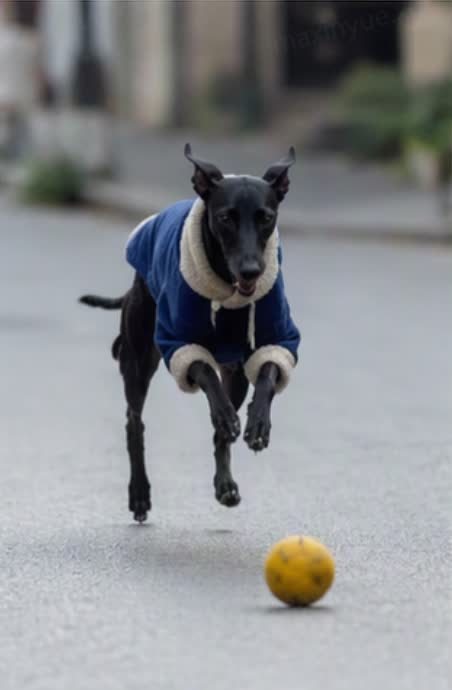 Image 1
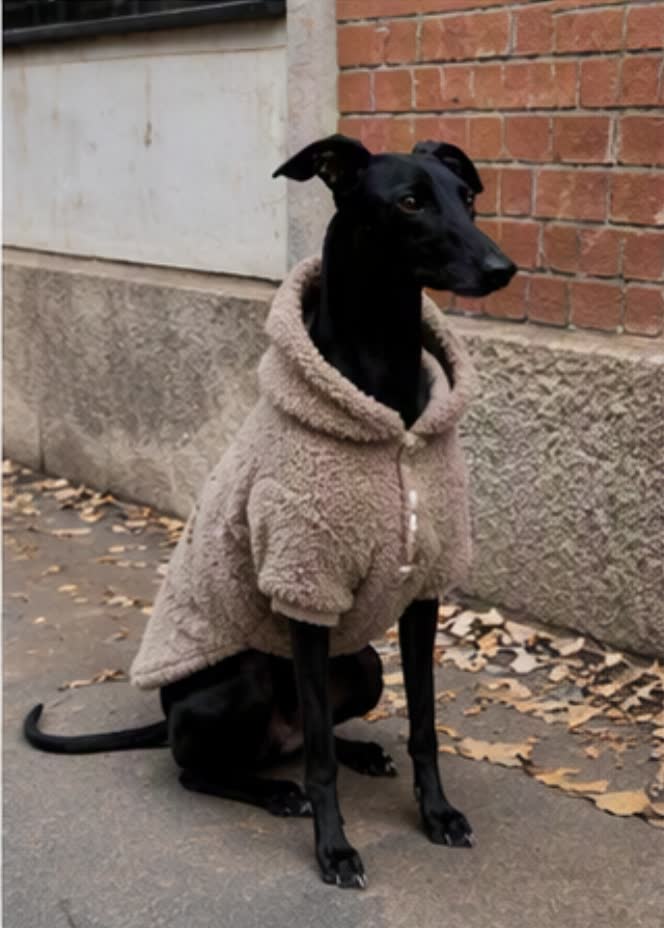 Image 2
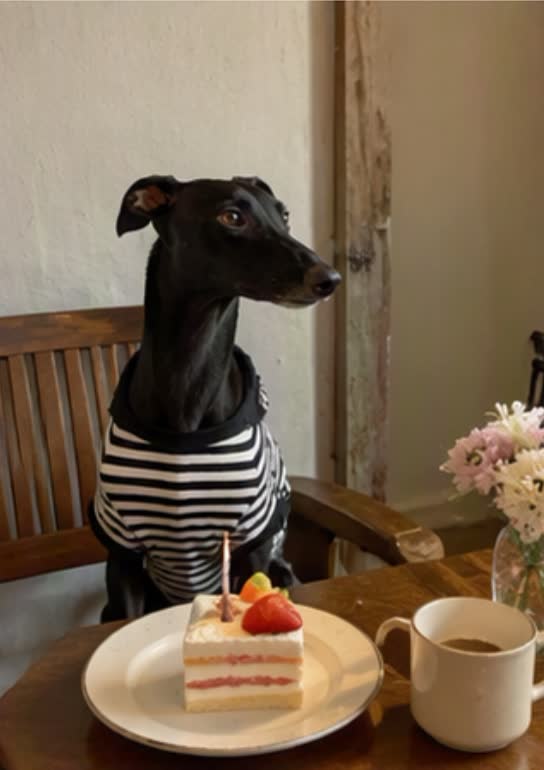 Image 3
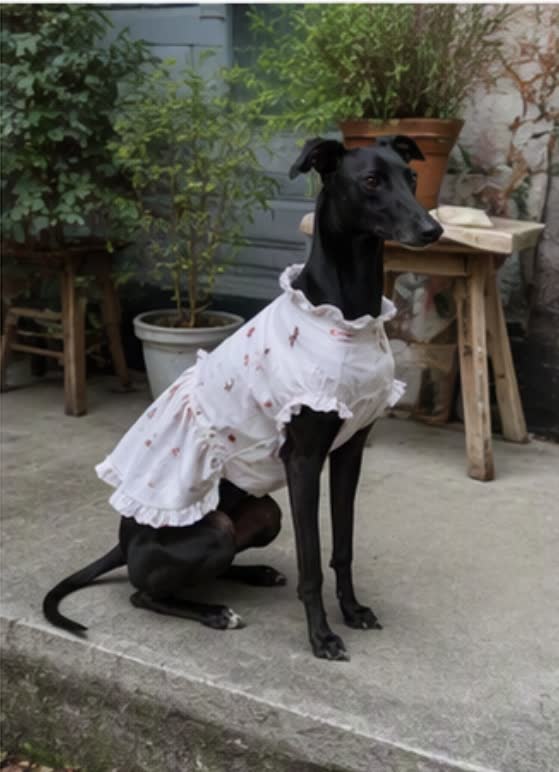 Image 4
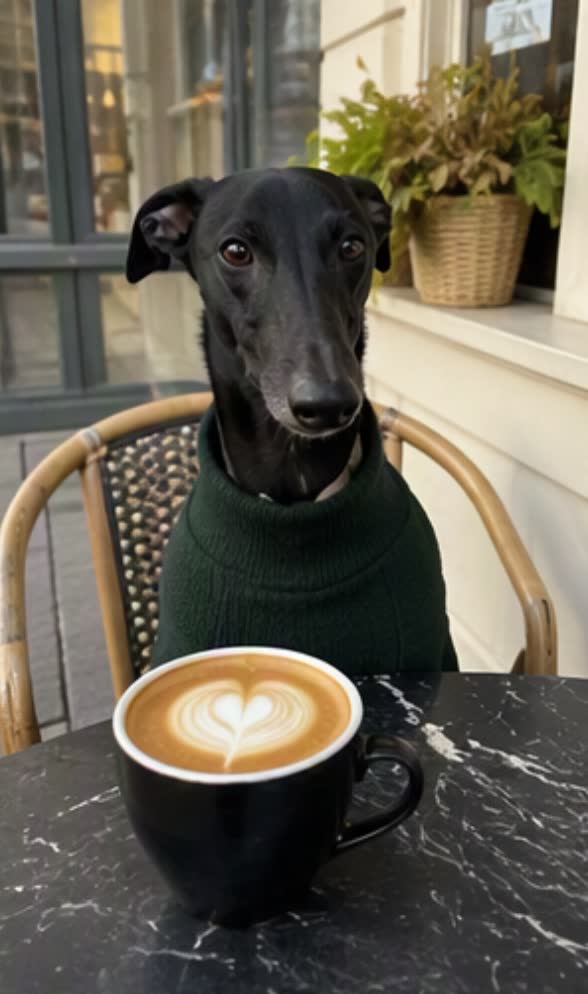 Image 5
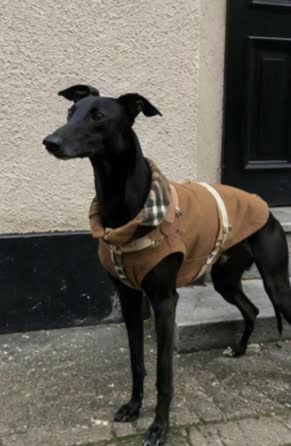 Image 6
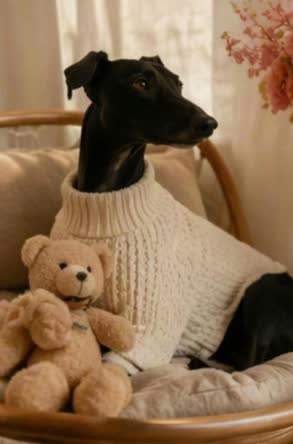 Image 7
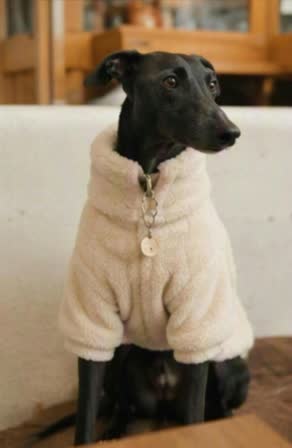 Image 8
Turn all images into a one-click video. The image order can be freely arranged.
Generate a coffee shop vlog in a hand-drawn animated doodle cutout style,
documenting the fun daily moments of a puppy wearing different cute outfits and
taking photos at the coffee shop. Generate trendy, internet-style playful audio
or BGM.

The images may move slightly, creating a live-photo effect, but do not alter
the original images. Keep the visuals highly consistent with the original
images.
"Do not alter the original images" is a useful guardrail, but treat it as a request rather than a promise. Check the packshots, logos, labels, and product shapes before publishing.
Timestamps without gaps
Seedance 2.5 accepts integer-second timing, and BytePlus documents three forms.
- Intervals, such as
0-3s... 3-7s... 7-15s... - A single time point, such as
At the 2-second mark, a burst of golden lightning descends from the top of the frame. - Relative time, such as
John stands there blankly. After 3 seconds, everyone around him shakes their head.
Keep the intervals continuous. With too little plot in a stretch, the model improvises to fill it, and with too much, it adds extra cuts or drops beats. Timestamps are also the wrong tool for fast, repeated motion such as "shake your head three times per second."
Negative controls and camera language
The guide explicitly supports negative control for subtitles and audio.
Do not add subtitles.orNo subtitles.No BGM; generate only environmental sounds and action sounds.No audio.
Standard film vocabulary works directly, including shot sizes, push in, pull out, pan, track, orbit, handheld, FPV, bullet time, dolly zoom, and speed ramp. Explain niche terms in plain language, and give transitions both a trigger and a method, for example At the 5-second mark, transition left with a left wipe and natural dissolve.
Complete editing example
Editing uses a source video plus three image references. The task must use ratio: adaptive and duration: -1; MOV output is recommended.
Video 1
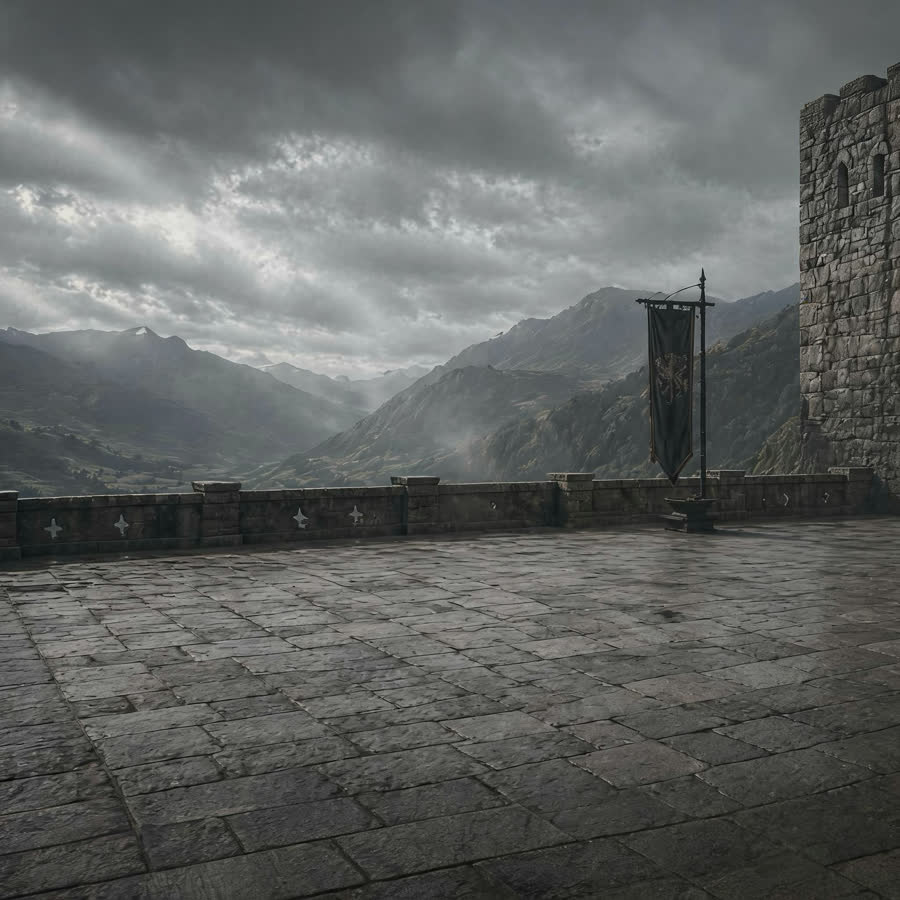 Environment, Image 1
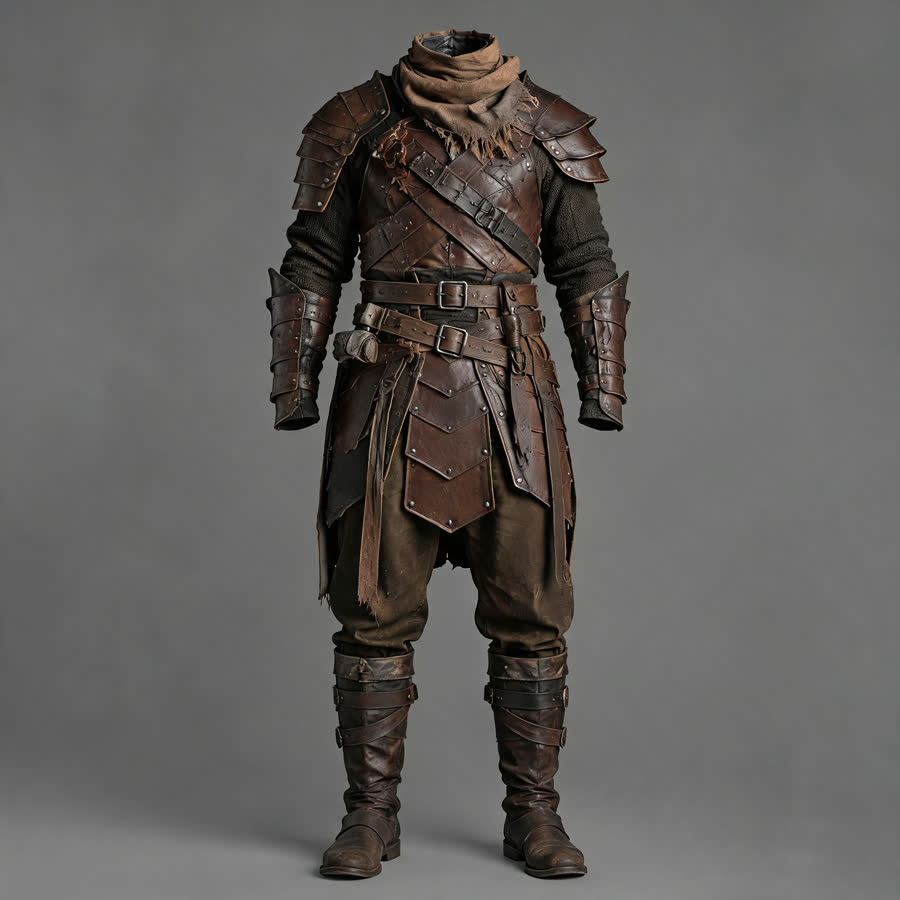 Character, Image 2
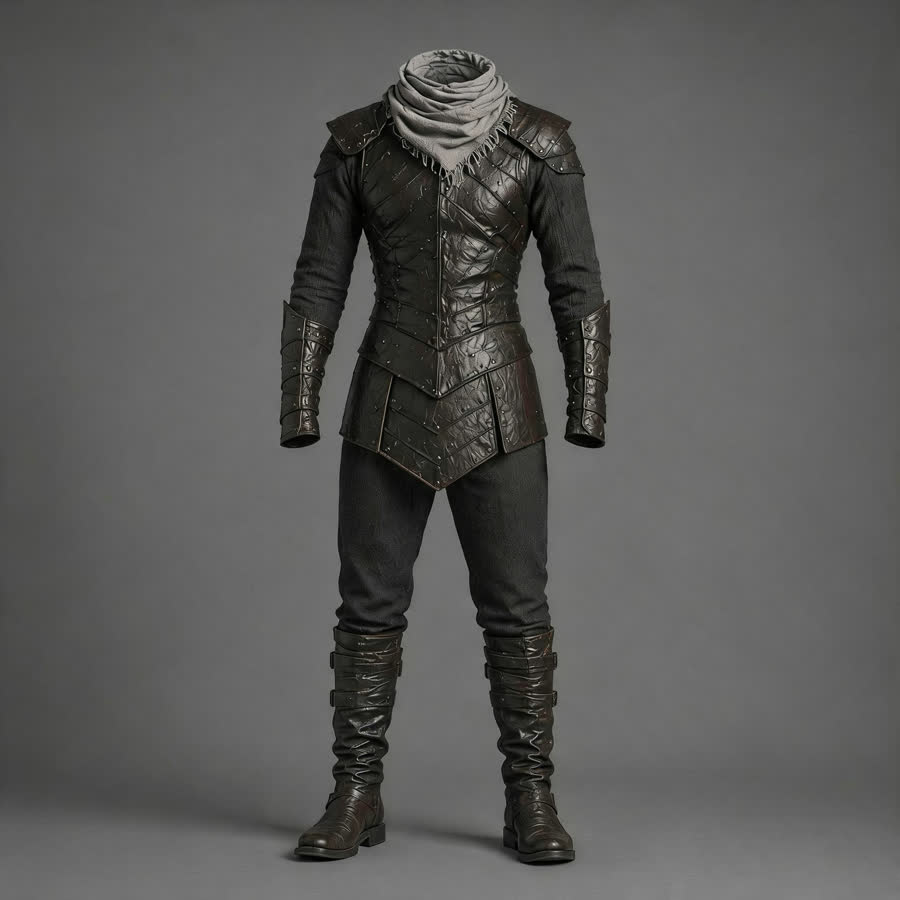 Character, Image 3
Replace the two-person fight in @Video 1 with an empty-handed probing exchange
before a cold-weapon duel.

Replace the scene with a medieval stone castle platform, an ancient courtyard,
an outer platform of a mountain fortress, or a simple stone-brick duel arena.
The background should include castle walls, wind, fog, distant mountain ridges,
and a flat stone ground. Refer to @Image 1 for the environment.

Replace the man in dark clothing in the video with @Image 2, and replace the
man in light-colored clothing with @Image 3. Keep the original actions and
rhythm unchanged.

AI effects should only enhance the environment and texture: wind-blown
clothing, light fog, a small amount of dust at contact points, cool metallic
reflections, subtle film grain, and an epic color palette. The overall style
should be restrained, realistic, and evoke a classic hardcore duel atmosphere.
Keep the background music synchronized with the action beats.
Each replacement here does one thing, and Keep the original actions and rhythm unchanged protects everything you did not ask to change. Targeted editing is designed to leave the rest alone, though in practice it can take a few attempts.
Complete dubbing example
Translate the spoken dialogue in the video into Chinese, with no subtitles.
Precisely adjust the lip movements to match the translated speech, while
keeping everything else unchanged.
Complete extension example
Use MOV for the input and output when possible. BytePlus notes that volume can still differ slightly, particularly when the source was not generated by Seedance 2.5.
Extend @Video 1 by 5 seconds. A bee flies in and lands on the flower. Then, in
a macro close-up, its legs and abdomen are covered with golden pollen particles.
The bee flaps its wings and takes off, and the camera follows it as it flies
toward another flower of the same species. In slow motion, pollen shakes loose
from the bee's fine hairs and falls precisely into the flower's stamen,
magnifying the moment of pollination.
Preflight checklist
- Every
@Image,@Video, and@Audioin the prompt has a corresponding uploaded asset. - Asset numbers match upload order.
- Every asset has one explicit job.
- The prompt contains an action or change, not only a visual description.
- Timestamp ranges are continuous and realistically paced.
- Editing uses
ratio: adaptiveandduration: -1. - Extension and first/last-frame tasks use
ratio: adaptive. - First and last frames have the same aspect ratio.
- Subtitles, music, dialogue, and sound effects are explicitly enabled or suppressed when they matter.
- Storyboards have 15 panels or fewer; keyframes are separate images when closer alignment is required.
Generation is stochastic, so these inputs let you rerun the official recipes but do not guarantee the exact same pixels on every attempt.
You can write a Seedance 2.5 prompt and generate from it in Rendley. The post-production pass still matters. Trim the result, replace generated type with real brand typography, add approved captions and music, and export each channel version. That whole pass is what Rendley Studio is for, and it is scriptable through the video automation API once the shape of the edit stops changing.
For the request payloads and job polling behind these prompts, read how to use the Seedance 2.5 API.
Prompts, input assets, and result videos in this article come from BytePlus's Seedance 2.5 prompt guide. Videos are re-encoded for web delivery.
Your team can ship its first video tonight.
Open Rendley Studio, type a brief, watch the agent draft the cut. The free plan covers everything you need to see the value.


