Pictory Alternative: When Blog-to-Video Isn't the Whole Job
Pictory is great at turning scripts and articles into short videos. But once you need a real timeline, brand control, and more AI models, you hit a ceiling. Here is an honest comparison and where Rendley fits.

Pictory built its reputation on a single, well-defined job: take something you have already written, a blog post, a script, a webinar transcript, and turn it into a short, captioned, branded video. For a lot of content teams, that is exactly the workflow they need, and Pictory does it well.
But "turn text into video" is only one stage of most video projects. The moment you need to open the result and actually edit it, tighten the pacing, swap a clip, restructure a sequence, apply a specific brand treatment, or generate original footage, you start to feel the edges of a tool that was designed around a pipeline rather than a timeline.
This article is about where that line sits, and what to reach for when your work lives on both sides of it.
What Pictory Is Genuinely Good At
Let me give Pictory its due, because it earns it.
Pictory is a browser-based AI tool that converts scripts, articles, and long videos into short, branded videos. You paste a URL or a block of text, and it drafts a video: it selects stock footage, matches scenes to sentences, adds auto captions, and can layer an AI voiceover on top (Pictory uses ElevenLabs for its voices). It can also take a long recording and pull out auto-highlights or repurpose it into shorts. There is a stock library and basic branding built in, and generative-AI credits for creating assets.
According to Pictory's pricing page, plans run from Starter at $25/month billed annually ($29 monthly, roughly 200 video minutes) to Professional at $35/month annually ($59 monthly, around 600 minutes), a Teams plan at $119/month annually, and custom Enterprise pricing. There is a 14-day trial.
If your team's core motion is "we publish a lot of written content and want a video version of each piece," Pictory is one of the most mature options on the market for that specific task. Solopreneurs, course creators, and blog-heavy content teams get real leverage from it.
Where the Text-First Model Runs Out of Road
The strengths and the limitations come from the same design decision.
Pictory optimizes for the article-to-video assembly line. That means it is fast at the first draft and comparatively shallow when you want to take manual control. Precise frame-level trimming, complex multi-track compositing, and fine-grained motion work are not what it was built for. If a scene lands wrong, you often re-generate rather than nudge.
It is also metered in video minutes, which is a sensible model for a rendering pipeline but an awkward one if your output is spiky, a few big projects one month, dozens of tiny ones the next. And branding, while present, is closer to "apply a logo and a color" than a managed brand system your whole team draws from.
None of this makes Pictory bad. It makes it specialized. The question is whether your workflow is specialized in the same direction.
A Different Starting Point: Editor First, AI Throughout
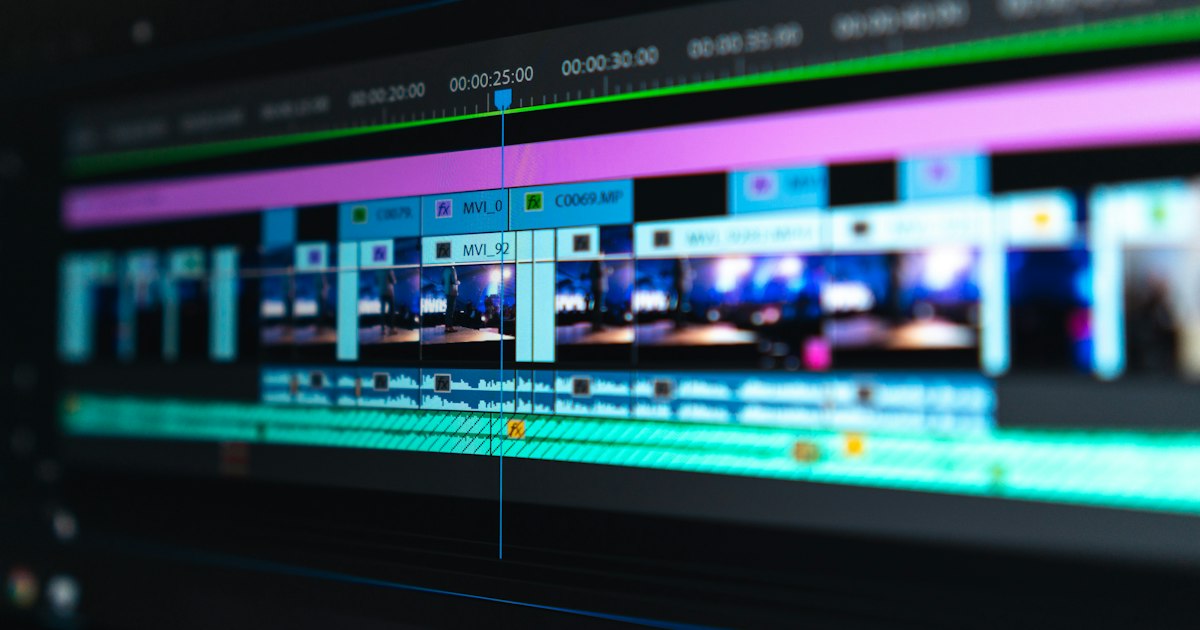
Rendley approaches the problem from the other end. It is a browser-based video editor with a real multi-track timeline, and the AI is woven into the editing surface rather than bolted onto a one-shot generator.
That difference shows up in a few concrete ways.
Instead of only converting text to video, Rendley's AI Agent takes raw footage, photos, and a brief and assembles a complete, reviewable edit you can then open and refine by hand or by re-prompting. You are not locked into the machine's first pass.
For the AI tasks Pictory covers, Rendley has equivalents you can call from inside the editor: auto captions (transcription via Whisper), voiceover and text-to-speech (including ElevenLabs, the same voice engine Pictory relies on, plus other options), a stock library cleared for commercial use, and B-roll generation. On top of that sit background removal, dubbing and translation across 30+ languages that keeps the original voice and timing, image upscaling, color grading, and more. Rendley markets access to 25+ AI models across providers like OpenAI, Google, ByteDance, ElevenLabs, and HeyGen, so if you want to actually generate footage rather than only pull from stock, that is on the table.
There is also a developer angle Pictory does not really compete on. Rendley exposes the same engine as an SDK, a REST API, and a hosted MCP server, so if "turn our CMS articles into videos" is something you want to automate as a pipeline, you can build it programmatically rather than doing it by hand.
Side by Side
| Capability | Pictory | Rendley |
|---|---|---|
| Article / script to video | Core strength, purpose-built | Via AI Agent from a brief; editor-first |
| Long video to shorts / highlights | Yes, mature | Editor plus AI Agent assembly |
| Full multi-track timeline editing | Limited | Yes |
| Auto captions | Yes | Yes (Whisper) |
| AI voiceover | Yes (ElevenLabs) | Yes (ElevenLabs and others) |
| Generate original footage (not just stock) | Limited gen-AI credits | 25+ models across providers |
| Translation / dubbing | Add-on | 30+ languages, keeps original voice |
| Brand kit | Basic branding | Brand kits on Pro and Business |
| API / SDK / MCP for automation | Not a focus | SDK, REST API, hosted MCP |
| Entry pricing | Starter $25/mo (annual) | Free, then $15/mo (Starter) |
The Honest Trade-offs
Pictory wins when the assignment is narrow and high-volume. If you are turning fifty blog posts into fifty videos this quarter and you do not need to hand-edit any of them, its assembly line is faster and more focused than doing the same work in a general editor. Its per-minute model is also easy to reason about when your output is predictable.
Rendley wins when the video is a first-class deliverable rather than a byproduct of an article, when you need to open the result and control it, keep a team on-brand, generate original footage, or automate the whole thing through an API. It is worth being clear about pricing shape too: Rendley's free plan exports at 720p and includes a small Rendley watermark, and removing the watermark plus unlocking 1080p and 4K means moving to a paid plan (Starter $15, Pro $30, Business $70 per month). Brand kits live on the Pro and Business tiers. So "free" is a genuine way to try the editor, not a way to ship watermark-free client work.
Which One Fits You
Choose Pictory if your team's rhythm is "we write, then we want a video of what we wrote," at volume, with minimal manual editing. It is one of the cleanest ways to run that specific play.
Choose Rendley if text-to-video is one input among many, if you need a real editor behind the AI, if you want more models and more control, or if you plan to automate video generation as part of a larger system. Rendley's storage runs on EU infrastructure (Hetzner in Nuremberg, Germany), which some teams weigh when deciding where their content lives.
If you want to feel the difference rather than read about it, the editor is free to open and try. Start a project at app.rendley.com and put a brief in front of the AI Agent to see how far the first pass gets before you touch the timeline.
Pricing and feature details are based on publicly available information as of mid-2026 and may change. Check Pictory and Rendley directly for current plans before deciding.
Your team can ship its first video tonight.
Open Rendley Studio, type a brief, watch the agent draft the cut. The free plan covers everything you need to see the value.
Continue reading.
More from the studio.
Adobe Express Alternative: One Firefly, or 25+ AI Models?
Adobe Express pairs quick video creation with Firefly, Adobe first-party generative AI. Rendley takes a different bet: 25+ models from many providers plus an AI agent. Here is what that difference means in practice.

Rendley vs Runway: Generative Video Lab or Full Editor?
Runway is a generative video powerhouse. Rendley is a browser-based editor with 25+ AI models and an AI agent. Here is which one actually fits your workflow, and where each genuinely wins.

Captions.ai Alternative: Avatars, Talking Heads, and Everything After
Captions.ai is built around one format, the talking-head video, and it is very good at it. This guide maps where it shines, where it stops, and when a full browser editor like Rendley serves you better.