ClawdBot + Video Editing: The AI Workflow That Cuts Production Time in Half
A step-by-step guide to using ClawdBot (OpenClaw) for video scripting, research, voiceover prep, and content distribution. Pair it with a video editor and ship videos twice as fast.

ClawdBot + Video Editing: The AI Workflow That Cuts Production Time in Half
ClawdBot went from an obscure GitHub repo to one of the most talked-about AI tools in a matter of weeks. The open-source personal assistant, created by Peter Steinberger and since renamed to OpenClaw, grabbed attention because it does not just answer questions. It takes action. People started using it to manage calendars, send emails, automate research, and run workflows from their messaging apps. And naturally, creators and marketers started asking the same question. Can I use this thing to make videos?
The short answer is yes, but not in the way you might expect. ClawdBot is not a video editor. It is a workflow automation engine that happens to be very good at the parts of video creation that come before and after the edit. Think scripting, research, content planning, asset gathering, scheduling, and distribution. When you pair it with a capable video editor, the combination can seriously cut down the time it takes to go from idea to published video.
This guide walks through practical ways to use ClawdBot in your video creation workflow, with real steps you can follow today.

A Quick Primer on What ClawdBot Actually Does
If you have not set it up yet, here is what you need to know. ClawdBot (now OpenClaw) is a self-hosted AI assistant that runs on your own machine. It connects to messaging apps like WhatsApp, Telegram, Slack, and Discord, turning them into a command center for automating tasks. It supports multiple AI models (Claude, GPT-4, local models) and extends its capabilities through modular "skills" that you can write yourself or install from the community.
The key thing that separates it from a regular chatbot is that it can execute tasks on your computer. It runs shell commands, manages files, browses the web, and integrates with over 50 services out of the box. It also remembers context across conversations, which means you can build ongoing workflows that improve over time.
For video creators, this means you can offload a huge amount of the non-editing work to ClawdBot and pick up the creative work when it is actually time to edit.
Step 1. Use ClawdBot for Video Research and Ideation
Coming up with video ideas consistently is one of the harder parts of content production. ClawdBot can help by turning research into something that happens in the background rather than eating up your morning.
Here is how to set this up.
Send ClawdBot a research prompt through your messaging app. For example, you could message it on Telegram with something like "Research the top 10 trending topics in B2B marketing this week and summarize each one in two sentences." Because ClawdBot can browse the web and pull data from multiple sources, it will come back with a structured summary you can scan in a few minutes.
Build a recurring research skill. ClawdBot supports custom skills, which are essentially saved workflows that it can run on a schedule. You can create a skill that runs every Monday morning, pulls trending topics from sources you specify (Reddit, X, industry blogs, Google Trends), and sends you a formatted list of video ideas in your preferred messaging app. The ClawdBot skills documentation explains how to set up a SKILL.md file with instructions and optional scripts.
Refine ideas through conversation. Once you have a list, you can reply directly in your chat thread with follow-up questions. "Which of these topics would work best as a 60-second LinkedIn video?" or "Give me three hook ideas for a video about remote team productivity." The conversational format makes ideation feel less like a task and more like brainstorming with a colleague.
The goal here is to arrive at your video editor with a clear idea and a rough outline already in hand, instead of staring at a blank project.

Step 2. Generate Video Scripts and Outlines
Scripting is where ClawdBot really earns its keep. Writing scripts for marketing videos, product demos, social clips, and ad creatives is repetitive work. The structure is often the same. Hook, problem, solution, call to action. What changes is the topic and the angle.
Start with a structured prompt. Message ClawdBot with the details it needs. Something like "Write a 60-second video script for a marketing agency audience. Topic is why UGC-style content outperforms polished brand ads. Tone should be conversational and direct. Include a hook in the first 5 seconds."
Iterate in the same thread. Because ClawdBot retains context across messages, you can refine the script through back-and-forth. "Make the hook more surprising." "Shorten the middle section." "Add a line about social proof." This conversational editing process is faster than working in a document because you do not lose context between revisions.
Save your best prompts as skills. If you produce the same type of video regularly (weekly tips, product updates, client testimonials), create a ClawdBot skill for each format. The skill can include your preferred script structure, brand voice guidelines, and any recurring elements like standard CTAs or intro lines. Next time you need a script in that format, you just trigger the skill and provide the topic.
Generate scripts in bulk. For agencies managing multiple clients, this is a game-changer. You can ask ClawdBot to generate five variations of a script, each tailored to a different audience segment or platform. That gives you raw material to work with instead of starting from zero every time.
Step 3. Plan Your Shot List and Gather Assets
Once you have a script, you need to figure out what goes on screen. ClawdBot can help organize this step too.
Convert scripts into shot lists. Send your finished script back to ClawdBot and ask it to break it down into a shot-by-shot plan. "For each section of this script, suggest a visual. Include whether it should be a talking head, B-roll, text on screen, or stock footage." This gives you a production plan you can hand to your editor (or yourself) before you open your editing tool.
Research stock assets. If your video needs specific types of footage, images, or audio, you can describe what you need and ask ClawdBot to suggest search terms or categories. For example, "I need three shots of people working in a modern office, two close-ups of hands typing, and one aerial city shot. What search terms should I use to find these in a stock library?"
When it comes time to actually find those assets, having a video editor with a built-in commercial asset library saves an enormous amount of time. Rendley includes a library of stock videos, images, audio, and GIFs that are cleared for commercial and advertising use, which means you can pull assets directly inside the editor without switching tabs or worrying about licensing.
Organize everything before you edit. ClawdBot can create structured notes, file lists, or even Markdown documents that serve as your production brief. Having a clear plan before you sit down to edit is one of the simplest ways to cut your editing time in half.

Step 4. Automate Voiceover and Caption Prep
This is where the line between pre-production and production starts to blur.
ClawdBot integrates with ElevenLabs for text-to-speech, which means you can generate voiceover audio directly from your script without leaving your messaging app. Send your script to ClawdBot, tell it which ElevenLabs voice to use, and it will return an audio file you can drop into your timeline.
That said, if you want to keep everything inside one editing environment, browser-based editors like Rendley include built-in AI voiceover tools. You can paste your script directly into the editor and generate a natural-sounding voiceover without needing a separate service. Rendley also offers AI-powered captions that sync automatically, background noise removal, and voice quality enhancement. These features mean you can handle voiceover and caption work as part of the edit itself rather than as a separate step.
For the fastest workflow, you might use ClawdBot to generate and review a draft voiceover through ElevenLabs, then do the final version inside your editor where you can fine-tune timing and sync it with your visuals.
Prepare caption text ahead of time. If you are creating videos for platforms where captions are essential (Instagram Reels, TikTok, LinkedIn), ask ClawdBot to format your script into caption-ready text. This means short lines, natural break points, and timestamps if your editor supports SRT imports.
Step 5. Create Repeatable Workflows for Ongoing Content
The real power of ClawdBot for video creation is not in any single task. It is in building workflows that you run week after week. Here is what a fully automated content pipeline could look like.
Monday morning. ClawdBot runs your research skill and sends you a list of five video topic ideas based on trending conversations in your niche. You reply with your pick.
Monday afternoon. ClawdBot generates a script based on your chosen topic, using your saved brand voice guidelines and preferred script structure. You review it, make a few tweaks through chat, and approve the final version.
Tuesday. ClawdBot converts the script into a shot list, generates a draft voiceover, and creates a production brief with suggested stock footage search terms. You open your video editor with everything you need already organized.
Wednesday. You edit the video. With your script, voiceover, shot list, and assets ready to go, the actual editing session is focused and fast. If you are using a browser-based editor with AI features, tasks like captioning, audio cleanup, and brand consistency happen inside the editor rather than as extra steps.
Thursday. ClawdBot formats your video description, generates platform-specific captions (short for X, longer for LinkedIn, hashtag-heavy for Instagram), and can even schedule or draft posts depending on your integrations.
This kind of pipeline turns video production from a chaotic, multi-day scramble into a structured process with clear handoffs between AI and human work.

Tips for Getting Better Results from ClawdBot
After spending time with ClawdBot for video workflows, a few things become clear about how to get the best output.
Be specific with your prompts. "Write a video script" will get you something generic. "Write a 45-second script for a Facebook ad targeting e-commerce store owners who are skeptical about AI. Use a problem-agitate-solve structure. The product is a video editing tool." will get you something you can actually use.
Use memory to your advantage. ClawdBot remembers context across conversations. This means you should front-load information about your brand, your audience, your tone of voice, and your content strategy. Once it knows these things, every future request will be better calibrated.
Build skills incrementally. Start with a simple script-generation skill. Once that is working well, add a research skill. Then a distribution skill. Each one compounds the time savings.
Keep the human in the loop for creative decisions. ClawdBot is excellent at generating raw material, organizing information, and handling repetitive tasks. The creative judgment (which hook is most compelling, which visual tells the story better, where the pacing needs to breathe) is still your job. Think of ClawdBot as your production assistant, not your creative director.
Watch your API costs. ClawdBot runs on whichever AI model you configure, and those models charge by the token. Some users have reported spending more than expected on API fees during heavy usage. Keep an eye on your costs, especially if you are running automated skills on a schedule.
The Bigger Picture for Video Teams
The combination of an AI workflow assistant and a capable video editor is bigger than any single tool. It represents a shift in how video content gets produced.
The old workflow looked like this. Brainstorm ideas in a meeting. Assign someone to write a script in Google Docs. Send the script to a video editor. Wait for a first cut. Give feedback. Wait for revisions. Export. Write captions manually. Post.
The new workflow compresses all of that. Ideation, scripting, and asset planning happen through conversational AI. Editing happens in a browser with AI handling the technical grunt work. Distribution gets automated.
For agencies juggling multiple client brands, this is especially powerful. ClawdBot can maintain separate context and brand guidelines for each client. And if your video editor supports multiple workspaces and a Brand Kit system, you can switch between client projects without losing brand consistency.
The teams and creators who figure out how to connect these tools into a smooth pipeline will produce more content, at higher quality, with less time and fewer people. That is not a prediction. It is already happening.

Getting Started Today
If you want to try this workflow, here is the simplest starting point.
-
Set up ClawdBot by following the installation guide on GitHub. It runs on macOS, Windows, and Linux, and setup takes anywhere from 5 to 30 minutes depending on your experience.
-
Connect it to your preferred messaging app. Telegram and WhatsApp are the most common choices. This becomes your interface for all the pre-production work.
-
Create your first video script skill. Write a SKILL.md file that includes your brand voice, preferred script structure, and target audience details. Test it by generating a few scripts and refining the instructions.
-
Open your video editor and bring it all together. Take your ClawdBot-generated script, shot list, and voiceover draft into your editing environment. If you are looking for a browser-based editor that handles AI voiceovers, captions, and commercial stock assets without any downloads, Rendley is worth trying. The free plan includes no watermarks, which makes it easy to test without commitment.
-
Iterate and improve. After your first video, go back to ClawdBot and refine your skills based on what worked. The more context you give it, the better your outputs get over time.
Video creation has always involved a lot of moving parts. The exciting thing about tools like ClawdBot is that they let you automate the parts that were never creative in the first place, so you can spend your time on the parts that are.
Your team can ship its first video tonight.
Open Rendley, type a brief, watch the agent draft the cut. The free plan covers everything you need to see the value.
Continue reading.
More from the studio.

Rendley vs HeyGen: Different Jobs, and Why You Might Use Both
HeyGen generates talking-avatar videos from a script. Rendley edits and produces real-footage video. They solve different problems, and Rendley actually integrates HeyGen. Here is how to think about it.
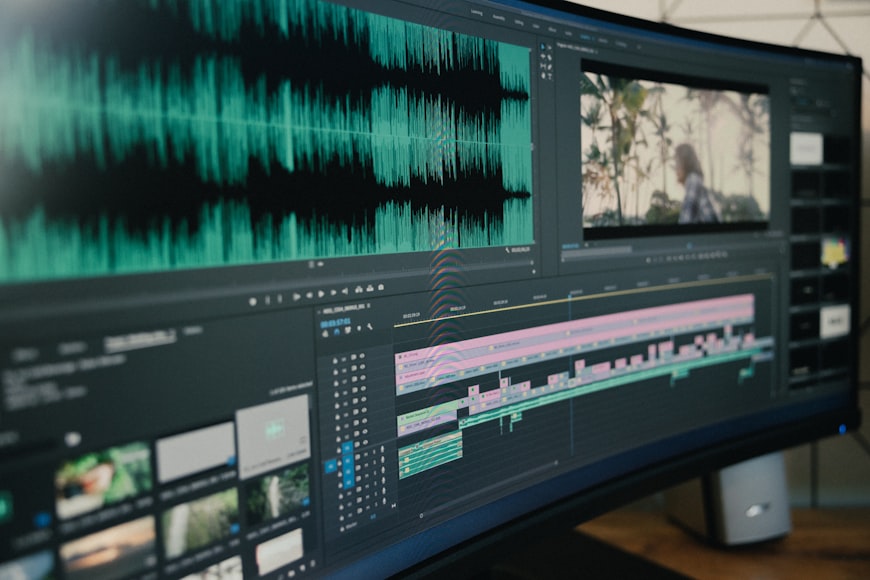
Why Video Production Isn't Slow — Your Workflow Is
Your video production workflow is the real bottleneck, not the editing. Learn how to fix approval loops, tool sprawl, and branding gaps to ship videos faster.
Adobe Express Alternative: One Firefly, or 25+ AI Models?
Adobe Express pairs quick video creation with Firefly, Adobe first-party generative AI. Rendley takes a different bet: 25+ models from many providers plus an AI agent. Here is what that difference means in practice.