Why Video Production Isn't Slow — Your Workflow Is
Your video production workflow is the real bottleneck, not the editing. Learn how to fix approval loops, tool sprawl, and branding gaps to ship videos faster.
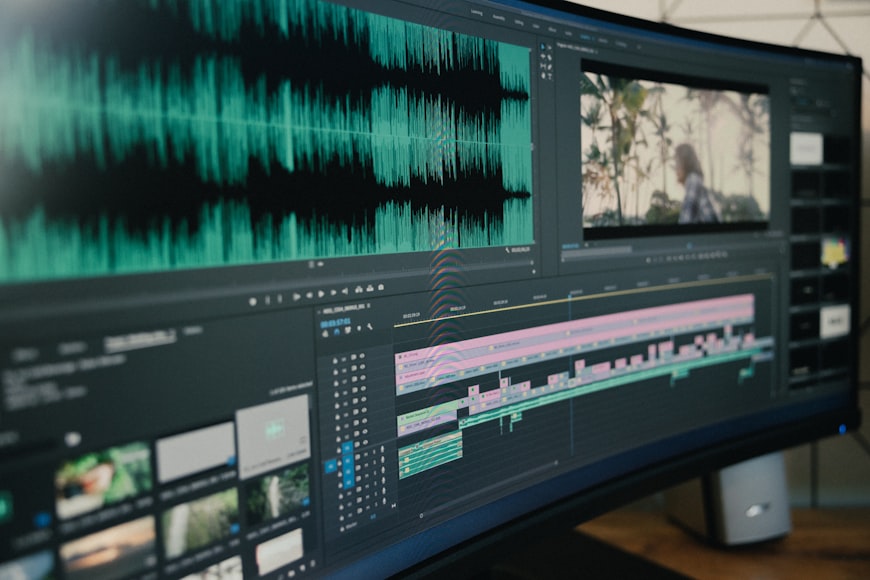
Why Video Production Is Not Slow. Your Workflow Is.
You have heard it before. "Video takes too long." It comes up in sprint reviews, in Slack threads at 5pm on a Friday, in quarterly planning when someone suggests doubling the video output. The response is always some version of the same thing. We need more people. We need a bigger budget. Video is just slow.
That diagnosis is often incomplete. The edit may be only one part of the delay; briefing, access, rights, approvals, file transfers, and rework can take longer than the timeline work. AI and browser tools can shorten some steps, but processing time still depends on the task and source material.
So if the tools are faster than ever, why does it still take your team two weeks to ship a 60-second ad?
The answer, almost every time, is the workflow around the edit. Not the edit itself.
The Real Cost of a Broken Video Production Workflow
Wistia's State of Video reporting tracks how surveyed teams create and use video. Survey percentages change by edition and sample, so the defensible takeaway here is narrower: teams commonly report production time and resources as constraints. Measure whether that is true in your own process.
That gap between knowing video works and actually producing enough of it is not a talent problem. It is an operational one. And it usually comes down to four specific bottlenecks that have nothing to do with editing skill.
Bottleneck 1. Approval Loops That Never End
A rough cut goes to the marketing lead. The marketing lead has notes. The revised cut goes to the brand manager. The brand manager wants the logo moved three pixels to the left. The updated version goes to the client. The client wants a completely different intro.
Every round trip adds a day, sometimes two. Multiply that by the number of stakeholders involved and a single video can spend more time in review than it did in production.
The problem is not that people have feedback. The problem is that the feedback process is disconnected from the editing environment. Comments live in email threads, Slack messages, Google Docs, and sometimes all three at once. The editor has to track down the latest version of the notes, figure out which ones have been addressed, and hope nothing was missed.

Bottleneck 2. Tool Switching and Context Loss
Here is a typical production stack for a marketing team. Footage in Google Drive. Scripts in Notion. Brand assets in Dropbox (or maybe the designer's local machine). Music from one licensing platform. Stock footage from another. The actual edit in a desktop app that only runs on one team member's computer. Captions generated in a separate tool. Final export uploaded somewhere else for review.
Every transition between tools adds a handoff and can interrupt focus. The American Psychological Association's overview of task switching describes measurable cognitive costs and brief mental blocks, but it does not establish one universal percentage for every video workflow.
For video production specifically, tool switching also creates version control chaos. Which Google Drive folder has the latest export? Is the version in the review doc the one with the updated music or the old one? These are not hypothetical questions. They are the kind of thing that derails entire production days.
Bottleneck 3. Inconsistent Branding Across Videos
This one is sneaky because it does not always look like a bottleneck. It looks like a quality control problem.
A team member uses the wrong shade of blue. The logo is positioned differently than it was in the last video. A freelancer uses a font that is not in the brand guidelines. The client notices. Now the video has to go back into editing for fixes that should not have been necessary.
When brand assets are not centralized and enforced by the tool itself, brand consistency depends entirely on human memory. And human memory is not reliable at scale, especially when you are managing multiple brands for different clients.
For agencies, this compounds quickly. Five clients with five different brand guidelines means five different sets of logos, colors, fonts, and visual standards that need to be applied correctly every single time.
Bottleneck 4. Manual Tasks That AI Should Be Handling
Captioning a 90-second video by hand takes 15 to 30 minutes, depending on the content. Removing background noise from recorded audio takes time and specialized software. Generating a voiceover used to mean hiring talent, booking studio time, and waiting for delivery.
AI can draft captions, clean audio, and generate a voiceover, but every output needs review. Time a representative sample before and after automation. The useful saving is the reviewed end-to-end difference, not the generation time shown by the tool.
Why Adding More People Does Not Fix Workflow Problems
The instinct when production is slow is to add headcount. Hire another editor. Bring on a freelancer. Outsource to an agency.
But adding people to a broken process does not fix the process. It amplifies the existing problems. More people means more approval loops, more tool access to manage, more brand guideline enforcement, and more coordination overhead. Brooks's Law, the principle from software engineering that adding people to a late project makes it later, applies to creative production too.
The smarter move is to fix the system before scaling the team. That means consolidating tools, centralizing assets, automating repetitive tasks, and reducing the number of handoffs between people and platforms.

Five Ways to Fix Your Video Production Workflow
Here is the good news. You do not need a massive overhaul to see real improvements. The highest-impact changes are usually the simplest ones.
1. Centralize Everything in One Environment
The single biggest workflow improvement you can make is reducing the number of tools in your production stack. When your footage, assets, editing timeline, captions, audio tools, and export settings all live in the same place, you eliminate an entire category of friction.
Browser-based editors have made this much more practical than it was even two years ago. There is no software to install, no files to sync between devices, and no "it only works on my machine" problems. Anyone on the team can open the project and pick up where someone else left off.
Rendley was built around this idea. The editor runs entirely in the browser, so your team works from one place regardless of device or location. The commercial asset library, AI tools, and brand assets are all inside the editor, which means you are not bouncing between six different tabs to produce a single video.
2. Lock Down Brand Consistency at the Tool Level
Brand guidelines in a PDF that nobody reads after onboarding are not brand enforcement. Real brand consistency comes from building it into the tool itself.
A Brand Kit feature that stores your logos, colors, fonts, and visual standards and makes them accessible to every team member is the difference between hoping people get it right and knowing they will. For agencies, the ability to maintain separate brand kits for each client and switch between them without digging through folders is a genuine time saver.
This also eliminates the "brand police" role. Instead of one person reviewing every video for visual consistency, the system handles it. That is one fewer approval step and one fewer bottleneck.
3. Automate the Repetitive Production Tasks
Map out every step in your current production process and flag the ones that do not require creative judgment. Those are your automation targets.
Captioning is an obvious candidate for a machine-generated first pass, followed by a human accessibility and accuracy review. Noise removal, audio enhancement, and voiceover generation may also help, provided the result is checked for artifacts and the necessary voice rights are in place.
The goal is not to automate the creative decisions. It is to automate the mechanical work that surrounds them so your team's time goes toward strategy, storytelling, and creative direction rather than production busywork.
4. Eliminate Watermarks and Export Friction
This sounds minor, but it is a real workflow killer for agencies. If your video editor adds watermarks on lower-tier plans, you are either paying more than you need to for clean exports or you are wasting time in a separate tool removing watermarks before sending deliverables to clients.
Every export should be client-ready. That means no watermarks, no "powered by" overlays, and no visual artifacts that signal the video was made with a free tool. This matters for first impressions, especially when you are sending work to a client for the first time.
5. Shorten the Feedback Loop
The fastest way to reduce your production timeline is to get feedback closer to the edit. Instead of exporting a draft, uploading it somewhere, sharing a link, waiting for comments, downloading the comments, re-opening the editor, and making changes, look for ways to collapse those steps.
Some teams have found success with live review sessions where stakeholders watch the edit in real time and give notes on the spot. Others use tools that allow commenting directly on the video timeline. The format matters less than the principle. Every handoff you eliminate saves hours.
What a Healthy Video Production Workflow Looks Like
When the bottlenecks are removed, video production is actually fast. Here is what a streamlined marketing video process looks like from start to finish.
Step 1. Brief and planning. A clear brief with defined objectives, audience, platform specs, and brand guidelines. This should take 30 minutes, not a week of back-and-forth.
Step 2. Asset gathering. Pull footage, music, and images from a centralized, commercially licensed library. No searching through personal drives or third-party sites. Minutes, not hours.
Step 3. First cut. Open the editor, apply the brand kit, drop in assets, and build the timeline. AI handles captioning, audio cleanup, and voiceover if needed. One environment, no tool switching.
Step 4. Review. Share the project link. Stakeholders review and leave feedback. One round of revisions, maybe two.
Step 5. Export and publish. Clean, watermark-free export in the right format for the target platform. Done.
The right target is the fastest process that still meets the brief, rights, accessibility, and approval requirements. Establish that target from your own timed projects rather than a universal duration.
The Shift from Production Speed to Production Capacity
This is the real unlock. When your video production workflow runs efficiently, you do not just produce individual videos faster. You increase your total output capacity without increasing your team size.
A team that was spending two weeks per video is not just faster when they cut that to two days. They have also freed up eight days of capacity that can go toward additional projects. Scale comes from efficiency, not from headcount.
McKinsey's economic analysis of generative AI models potential value across business functions, including marketing and sales. It is not a measured video-production benchmark, so use it as broad context rather than a forecast for your team.
Start With an Audit, Not an Overhaul
If your video production feels slow, do not start by looking at new tools or new hires. Start by mapping your current workflow end to end.
Write down every step, every tool, every handoff, and every approval gate. Then ask two questions about each one. Is this step necessary? And if it is, can it be faster?
You will almost certainly find that the actual editing is one of the shortest steps in the entire process. The rest is logistics, coordination, and friction. Fix those, and you will be surprised how fast video production can actually be.
If you want to see what a workflow with fewer bottlenecks looks like in practice, Rendley's Free plan is a place to evaluate the browser-based editor. It exports at 720p with a small watermark; paid plans remove it, and Brand Kits are available on Pro and Business.
Where Rendley's AI Agent Fits
Rendley's AI Agent can turn footage plus a brief into a reviewable first cut. It can reduce rough-cut setup, but a person still needs to verify the story, facts, rights, captions, generated media, and final export. Include that review time when comparing it with your existing process.
Your team can ship its first video tonight.
Open Rendley Studio, type a brief, watch the agent draft the cut. The free plan covers everything you need to see the value.
Continue reading.
More from the studio.

The Hidden Cost of Switching Between Video Tools
Your video tool stack costs more than subscriptions. Learn how context switching, version chaos, and workflow friction silently drain your team productivity.

OpenClaw + Video Editing: A Practical Production Workflow
A step-by-step guide to using OpenClaw for video research, scripting, production briefs, voiceover preparation, and distribution tasks.
How to Prompt Seedance 2.5
Seedance 2.5 judges your prompt against the task you picked, whether text to video, references, editing, extension, or first and last frame. This is the parameter map for each one, with the official examples in full.